Every day, the world creates over 328 million terabytes of data. Where does it all go? A big part of it needs a safe, easy-to-reach spot in the cloud.
This huge demand, driven by remote work and our digital lives, is more than just a trend. It’s a chance for smart entrepreneurs. Starting a data storage service is easier than ever, with low entry costs.
You can give clients what they really want: cost-efficient, growing solutions. Cloud computing lets any business, anywhere, quickly get to their files.
This guide is your map. We’ll show you how to make your cloud business successful and strong, step by step.
Key Takeaways
- Global data creation is huge, making cloud storage solutions more needed than ever.
- Remote work and digital change make this a booming market chance.
- Starting a cloud service has great benefits like low start-up costs and growth.
- Your clients are looking for dependable, affordable, and easy-to-use data management.
- This guide offers a clear, doable plan to start your cloud storage company from scratch.
Understanding the Cloud Storage Market and Opportunity
Your cloud storage startup guide starts with a deep dive into the market’s opportunities and segments. It’s not just about storing files online. It’s a huge industry driven by our need for data access, security, and collaboration. To succeed, you must find where your solution fits.
The market has several key service types. Each meets a different need. You have personal storage for individuals, business platforms for teams, backup solutions for disaster recovery, and hybrid models that mix cloud and local systems. Your first job is to decide which puzzle piece you will become.

Identifying Your Target Customer Segments
Who will you serve? Your choice affects your technology, marketing, and pricing. Let’s look at the main segments.
- Privacy-Conscious Individuals: These users value security over fancy features. They seek encrypted, zero-knowledge storage away from big tech. Providers like Tresorit and pCloud cater to this need.
- Collaborative Small Businesses: This is a big opportunity. Small teams need efficient collaboration tools, granular permission management, and secure communication. Cloud storage lowers their IT costs, increases uptime, and offers flexibility to scale.
- Enterprises Needing Hybrid Solutions: Large organizations often can’t move everything to the cloud at once. They seek robust platforms that blend on-premise servers with cloud scalability for a smooth transition.
- Users Focused on Backup & Recovery: This segment values automated, reliable backups. Their main fear is data loss from hardware failure or ransomware. Services like Backblaze and Carbonite operate here.
Your goal is to pick one or two segments to master. Trying to please everyone often pleases no one.
Analyzing Competitors: From Dropbox to Specialized Providers
Next, study the battlefield. Know who you’re up against and where they are weak. A simple SWOT analysis can reveal your opening.
| Competitor Type | Example | Key Strength | Common Weakness |
|---|---|---|---|
| Mass-Market Giants | Dropbox, Google Drive | Brand recognition, deep integration with other apps | Perceived as generic; data privacy concerns for businesses |
| Business-Focused | Box, Egnyte | Strong admin controls, compliance features | Can be complex and expensive for very small teams |
| Specialized/Niche | SpiderOak (security), Sync.com (privacy) | Clear value proposition for a specific need | Limited brand awareness outside their core audience |
Look at the gaps. Maybe the giants are too expensive for freelancers. Perhaps business tools are too complicated for simple team projects. Your unique offer lives in these gaps. A focused cloud storage startup guide always emphasizes this competitor analysis. It’s how you find your space to grow.
Remember, your future customers are already using someone else’s service. Your job is to give them a compelling reason to switch.
Defining Your Unique Value Proposition and Business Model
Your cloud storage company’s identity is shaped by the problems you solve and the customers you serve. This step makes you a contender in the market. A clear value proposition explains why you exist. Your business model shows how you will make money from that value.
Getting this foundation right is key. It affects your technology, marketing, and how you interact with customers. A vague offer gets lost. A focused one attracts loyal users and stands out.
B2C, B2B, or Hybrid? Picking Your Primary Audience
Your first big decision is choosing your main audience. Will you serve individual consumers, businesses, or both? This choice shapes everything.
Business-to-Consumer (B2C) models target individual users. Think of services like Google Drive or iCloud. They focus on simplicity, affordability, and personal use like photo backup or file sharing. Revenue often comes from freemium tiers or low-cost monthly subscriptions.
Business-to-Business (B2B) models serve companies, from startups to enterprises. Here, needs are more complex. Clients look for admin controls, team collaboration tools, and robust security. Prices are higher, and sales cycles are longer, but customer lifetime value is greater.
Hybrid models attempt to serve both markets. This can be challenging but rewarding if executed well. You might offer a simple personal plan and a separate, feature-rich business suite. The key is clear segmentation to avoid confusing either group.
Source 2 breaks down common model focuses: Personal storage, Business collaboration, Backup solutions, or a Hybrid mix. Your choice should align with the target segments you identified earlier.

The table below outlines the core differences to help guide your decision:
| Model | Primary Audience | Key Features & Focus | Typical Revenue Model | Primary Challenges |
|---|---|---|---|---|
| B2C (Personal) | Individual users, families | Easy setup, mobile access, basic sharing, affordable pricing | Freemium, tiered monthly subscriptions | High volume, low margin, fierce competition |
| B2B (Business) | Small teams to large enterprises | Admin controls, audit logs, SLA guarantees, advanced security | Per-user monthly/annual fees, enterprise contracts | Longer sales cycles, higher support demands |
| Hybrid | Both individuals & businesses | Separate product tiers, dual marketing strategies | Mix of B2C & B2B pricing models | Brand dilution, operational complexity |
The Power of Specialization: Carving Out Your Niche
Trying to be everything to everyone is a recipe for obscurity. The real magic happens when you specialize. A clear niche makes marketing easier and builds a fiercely loyal customer base.
Instead of competing directly with giants on generic storage, ask: What specific problem can I solve better than anyone?
For example, you could build encrypted, audit-ready storage for law firms. Your value proposition becomes airtight security and compliance, not just space. For creative agencies, you might focus on seamless, real-time collaboration with large video files. Your features would prioritize speed and feedback tools.
Consider the advantages noted in Source 3, like support for international team communication or advanced management dashboards. These aren’t just features; they are core value propositions for a global or IT-managed niche.
Here are a few potent niche ideas:
- GDPR/CCPA-Compliant Backup: For European or Californian companies needing guaranteed data privacy.
- Healthcare Data Storage: Built with HIPAA compliance from the ground up for clinics and providers.
- Media & Entertainment Hub: Optimized for massive files and fast transfers for filmmakers and photographers.
Specialization allows you to charge a premium. Customers pay more for a solution that feels tailor-made. It simplifies your development roadmap. You only build features your niche users desperately need. When starting a cloud storage company, this focused approach is often the smartest path to sustainable growth.
Crafting a Detailed and Realistic Business Plan
Your cloud storage business plan is more than a document. It’s a blueprint that connects your vision with the real world. It makes you think about every important part of your business. This plan will guide your strategy and help attract partners and funding.

Think of it as your company’s story and financial forecast. A good plan answers the who, what, where, when, and how of your business. Let’s look at the key parts.
Executive Summary and Company Description
Begin with a strong executive summary. It’s the first thing people read, but often the last thing you write. It should summarize your plan in one page.
It should cover your mission, target market, unique value, and financial highlights. Make it interesting enough to grab an investor’s or key hire’s attention.
Then, describe your company in detail. Talk about your structure, location, and history if you have one. Clearly state your goals.
A concise executive summary is your elevator pitch on paper. It must convey passion and precision in equal measure.
Describe the problem your cloud storage service solves. Are you targeting ultra-secure storage for law firms? Or seamless media collaboration for creative teams? This sets the stage for what follows.
In-Depth Market Analysis and Marketing Strategy
Here, you show you know the landscape. Use research on your target customers and competitors. Analyze trends, growth, and your market size.
Your marketing strategy should come from this analysis. Find where your customers spend their time. Will you use content marketing, paid social ads, or partnerships?
Comparing competitors is key. Look at their pricing, features, and marketing. This helps you position your service well.
| Marketing Channel | Target Audience | Key Metric | Estimated Initial Cost |
|---|---|---|---|
| Content Marketing & SEO | Tech-savvy professionals, small businesses | Organic website traffic | $500 – $2,000/month |
| LinkedIn Advertising | B2B decision-makers | Cost per Lead (CPL) | $1,000 – $5,000/month |
| Partner Referral Program | Existing users, complementary services | Customer Acquisition Cost (CAC) | $0 – $500 (incentives) |
Your first strategy doesn’t have to be perfect. It just needs to be doable and measurable. Start with one or two channels and track your progress well.
Financial Plan: Projections, Costs, and Funding Needs
This section turns ideas into numbers. A good financial plan has three main parts: startup costs, ongoing expenses, and revenue forecasts.
Start by listing all your startup costs. This includes tech, legal fees, marketing, and salaries. Cloud servers can help keep costs flexible.
Next, project your monthly expenses. Be detailed. Include server costs, software, staff, and marketing.
For revenue, use your pricing model. Will you offer free, tiered, or flat rates? Model different scenarios for a realistic view.
- Infrastructure Costs: Bandwidth, storage servers, security.
- Development & Software: Development team, APIs, white-label solutions.
- Marketing & Sales: Ad spend, content creation, sales commissions.
- Administrative: Legal, accounting, office space.
Lastly, figure out how much funding you need. How much capital do you need to be profitable? Will you bootstrap, seek angel investment, or get a loan? Your plan must show how you’ll use the funds and reach sustainability.
This cloud storage business plan is your living document. Update it every quarter as you learn more about your customers and costs. It’s your roadmap to a sustainable business.
How to Start a Cloud Storage Business? The Legal and Financial Setup
Starting a cloud storage business needs a solid legal and financial base. This is more than just paperwork. It’s about protecting your company and building trust with customers. A strong start makes everything else easier.
Think of this step as locking your front door before moving in. It protects your assets, handles taxes, and keeps you legal. For a business with sensitive data, this is essential. Let’s look at the two main parts: your business structure and compliance.
Choosing a Business Structure: LLC, C-Corp, or S-Corp
Your first big decision is picking a legal structure. This choice affects your personal safety, taxes, and funding options. For cloud storage businesses, three options are common.
An LLC (Limited Liability Company) is a good starting point. It’s easy to set up and has a flexible management style. The main benefit is protecting your personal assets from business risks.
Corporations, like C-Corporations and S-Corporations, are more formal. A C-Corp is a separate legal and tax entity. This is good for companies seeking big funding or going public. An S-Corp allows profits and losses to pass through to shareholders, avoiding double taxation.
Choosing the right one depends on your goals. The table below helps you decide.
| Structure | Best For | Key Advantages | Key Considerations |
|---|---|---|---|
| LLC | Solo founders, small teams, bootstrapped or early-stage ventures. | Simple setup, pass-through taxation, strong personal liability protection. | May be less attractive to some institutional investors compared to a C-Corp. |
| C-Corporation | Startups planning to raise venture capital, offer employee stock options, or eventually seek an IPO. | Unlimited growth, clear structure for investors, distinct legal entity. | More complex and costly to maintain; subject to double taxation (corporate tax + shareholder dividend tax). |
| S-Corporation | Profitable smaller businesses where owners want pass-through taxation but with a corporate structure. | Avoids double taxation, offers liability protection of a corporation. | Strict eligibility rules (e.g., limited to 100 shareholders, all must be U.S. citizens/residents). |
Getting advice from a business attorney and accountant is key. They can guide you based on your growth, funding, and ownership goals.
Navigating Licenses, Data Privacy, and Compliance Laws
After setting up your business, you’ll face a web of licenses and regulations. This is critical for cloud storage providers, as they handle users’ data.
Start with the basics: you’ll need a general business license from your city or county. Depending on your location and activities, you might need more state permits.
Data protection is the real challenge. Your customers’ trust is vital, built on following key laws and standards.
- GDPR (General Data Protection Regulation): If you store EU data, you must follow GDPR. It gives users control over their data and sets strict rules for data processors.
- CCPA (California Consumer Privacy Act): Like GDPR, this California law gives privacy rights to state residents. Many U.S. companies follow CCPA standards as a best practice.
- HIPAA (Health Insurance Portability and Accountability Act): If you serve healthcare clients and store PHI, you need HIPAA-compliant systems and BAAs.
Getting recognized security certifications shows your commitment. The ISO/IEC 27001 certification is a global standard for information security. It signals to clients that you have strong, audited security practices.
In today’s market, following standards like GDPR and ISO 27001 is more than a legal formality. It’s a key factor for customers choosing a cloud storage provider.
Building compliance into your tech from the start is easier than adding it later. You might need a Data Protection Officer and clear Terms of Service and Privacy Policy documents. This legal foundation is essential for a credible cloud storage business.

Spending time on the legal and financial setup does more than protect you. It makes your cloud storage business look serious and trustworthy. It gives investors confidence and customers peace of mind to store their data with you.
Securing the Necessary Capital and Funding
Before you can store a single byte of customer data, you need to secure the funds to build your platform. Turning your detailed business plan into a live service is an exciting phase of cloud storage entrepreneurship. It also requires careful financial planning. Your choice of technical infrastructure plays a big role here. For instance, partnering with an established hosting provider can dramatically minimize your upfront capital needs compared to building your own data center.
This strategic decision frees up capital for other critical areas like marketing and development. Your funding journey will likely mix several sources. Each option comes with its own expectations and trade-offs.

Bootstrapping, Angel Investors, and Venture Capital
Most founders start by evaluating three primary funding avenues. The right path depends on your growth goals, control preferences, and current stage.
Bootstrapping means funding your business yourself. You use personal savings, credit, or early revenue to cover costs. This approach keeps you in full control. You answer to no outside investors. The downside is that growth is often slower. You are limited by your own financial resources.
Angel Investors are affluent individuals who provide capital for startups. They usually invest in the early stages. In exchange for their money, they receive ownership equity. Angels often offer valuable mentorship and industry connections. They are ideal when you need a cash injection to build your MVP and gain initial traction.
Venture Capital (VC) involves firms that manage large pools of money. They invest in companies with high growth. VC funding is for serious scaling, like expanding your server network or launching a major marketing blitz. The trade-off is significant. VCs take a sizable equity stake and expect a high return on investment. They also often seek a seat on your board.
Here is a clear comparison to help you weigh your options:
| Funding Source | Best For | Key Advantages | Key Challenges | Typical Investment Range |
|---|---|---|---|---|
| Bootstrapping | Founders wanting full control, slow & steady growth | Complete autonomy, no debt or equity loss | Limited resources, personal financial risk | $1,000 – $50,000 |
| Angel Investors | Early-stage validation and initial product build | Mentorship, network access, faster start | Giving up some equity, reporting to investors | $25,000 – $500,000 |
| Venture Capital | Rapid scaling, market domination, heavy tech costs | Large capital sums, strategic guidance | Substantial equity dilution, high growth pressure | $500,000 – $10M+ |
Many successful cloud businesses use a combination. They might bootstrap to a prototype, secure an angel round to launch, and pursue VC to scale globally.
Preparing a Compelling Pitch Deck for Investors
When you seek external funding, your pitch deck is your most important tool. It’s a concise presentation that tells your story. A great deck answers all critical investor questions in about 10-15 slides.
Focus on clarity and confidence. Here are the essential slides to include:
- The Problem: Clearly define the pain point your cloud storage service solves.
- Your Solution: Show how your product uniquely addresses that problem.
- Market Opportunity: Use data to show the size and growth of your target market.
- Business Model: Explain exactly how you will make money (e.g., subscription tiers).
- Competitive Analysis: A simple grid showing how you beat or differ from key rivals.
- Marketing & Sales Strategy: Outline how you will acquire customers.
- Your Team: Highlight why your team has the right skills for cloud storage entrepreneurship.
- Financial Projections: Provide realistic revenue, cost, and user growth forecasts for 3-5 years.
- The Ask: State clearly how much funding you need and how you will use it.
Keep your design clean and professional. Every claim should be backed by data from your business plan. Practice your verbal pitch until it feels natural.
Investors invest in people as much as ideas. Your passion and deep knowledge of the cloud storage space must shine through.
Securing capital is a major milestone. It validates your plan and provides the resources to execute. With a clear understanding of your options and a compelling pitch, you’ll be ready to fund your vision.
Building Your Core Technical Infrastructure
Starting your cloud storage business means building its technical base. This phase is key, as it shapes your service’s performance, cost, and growth. Getting the steps to set up a cloud storage company right is essential for success.
The Build vs. White-Label vs. Partner Decision
Choosing your core technology is your first big decision. Each option has its own balance of control, cost, and speed.
- Building Your Own: This means creating your own software and possibly managing data centers. It gives you full control and customization. But, it needs a lot of money upfront, expertise, and ongoing work.
- White-Labeling a Solution: You use an existing platform, like Nextcloud or ownCloud, and rebrand it. This cuts down development time and cost. But, your service might not stand out as much.
- Partnering with a Hosting Provider: A partner, like Go4hosting, handles servers, network, and software for you. This is cheaper upfront, scalable, and lets you focus on your business.
For most startups, partnering or white-labeling is the best way to start fast and save money.
Architecting for Scale: Storage, Servers, and Bandwidth
Your infrastructure must grow with your customers. Modern cloud principles help a lot here.
Use virtualization instead of single servers. It pools resources for flexible “virtual machines” that scale easily. This means better hardware use and resilience.
Plan for three key resources: storage for data, server compute power for running your app, and bandwidth for data transfer. Designing for scale means choosing solutions that grow without service issues.
Selecting a Storage Backend: AWS S3, Google Cloud, or Azure Blob
Most cloud storage services use big object storage backends. These platforms provide a solid base for your users’ files.
| Backend Service | Key Strength | Consideration |
|---|---|---|
| AWS S3 | Market leader with the most extensive feature set, tools, and global infrastructure. The industry standard. | Pricing can be complex. Dominance means you’re often tied to the AWS ecosystem. |
| Google Cloud Storage | Excellent performance and tight integration with Google’s data analytics and AI/ML tools. | Smaller overall market share than AWS. Best if you plan to leverage Google’s other cloud services. |
| Azure Blob Storage | Unbeatable integration for businesses deeply invested in the Microsoft Windows and Active Directory ecosystem. | Can be less intuitive for developers coming from a Linux or open-source background. |

Security is the foundation of trust in cloud storage. Your architecture must protect at every layer.
End-to-end encryption (E2EE) is key. It encrypts data on the user’s device before it reaches your servers. This means you can’t access unencrypted files, ensuring top privacy.
For data at rest, use strong encryption like AES-256. Data in transit must be secured via TLS 1.3. Add robust access controls, MFA for admin panels, and regular security audits.
Following these technical steps to set up a cloud storage company ensures a service that’s functional, trustworthy, and ready for growth from day one.
Developing Your Minimum Viable Product (MVP)
Before adding every feature, pick the essential ones that offer immediate value. Your MVP is the simplest version of your service that users will pay for. It proves your business idea without needing a lot of time and money.
This focused approach is key for launching a cloud storage business. It lets you test the market, get valuable feedback, and start making money. Your MVP is not just a basic prototype. It’s a working product that solves a main problem well.

Prioritizing Must-Have Features for Version 1.0
Don’t try to build everything at once. Your version 1.0 should have only the must-have features that make your service useful. For a cloud storage MVP, focus on four main areas.
Secure File Upload and Storage is the base. Users need a reliable way to upload files and know they’re safe. This means strong encryption for files in transit and at rest.
File Synchronization and Sharing is next. Users expect to sync files across devices and share them securely. Include features like password protection and link expiration dates.
Basic User Management lets users create accounts and manage their profiles. You also need a simple admin dashboard to oversee user activity and system health.
A Clean, User-Friendly Web Interface ties everything together. As industry advice suggests, the interface should be easy to use. Complicated software can scare users away, no matter how powerful it is.
Here’s a checklist for your MVP’s features:
- Secure file upload and storage with encryption
- File sync across major platforms (web, desktop, mobile)
- Secure file sharing with link controls
- User account creation and management
- Simple admin and user dashboard
- Basic API for future integrations
Features like advanced collaboration tools or complex workflow automation belong on your future roadmap. Get the core right first.
Adopting an Agile Development and Testing Methodology
Building your MVP is an ongoing process. Use an agile development method. This approach breaks work into short, iterative cycles called sprints.
Each sprint aims to deliver a small, working part of the product. After each cycle, test the new features with real users. Then, use their feedback to plan the next sprint.
This build-measure-learn loop is very powerful. It lets your product evolve based on real customer needs, not just guesses. You avoid wasting time building features no one wants.
How does this work in practice? Start with a small team of developers and designers. Plan your first two-week sprint to deliver, for example, the secure upload and storage functionality.
At the end of the sprint, have a working demo tested by a few beta users. Ask specific questions about their experience. Is the upload process smooth? Do they feel confident their files are safe?
The key to agility is embracing change. Your initial plan is a hypothesis; user feedback is the data that proves or disproves it.
Use tools like Jira, Trello, or Asana to manage your backlog and sprint tasks. Regular stand-up meetings keep the team on track. This iterative approach reduces risk and is a proven strategy for successful tech startups.
By combining a sharply defined MVP with an agile process, you create a dynamic launchpad. You can enter the market faster, learn continuously, and adapt your product roadmap with confidence. This practical, feedback-driven approach is essential for turning your cloud storage vision into a viable, growing business.
Designing Your Brand and User Experience
Design is like a silent ambassador for your brand. It shows security and simplicity before anyone signs up. In this beginner’s guide to starting a cloud storage business, we focus on the frontend. What users see and feel decides if they stay.
Your brand identity and user experience are key. They help build trust and make sure people enjoy using your service. A bad interface or look can ruin even the best technology.

Creating a Trustworthy Brand Identity
Your brand is more than a logo. It’s your business’s personality. For a cloud storage company, it must show reliability and security. Users trust you with their data.
Choose a name that’s easy to remember and spell. Avoid tech jargon. Use a color palette that looks professional and calm. Blues and greens are good for trust and stability.
Your typography should be clean and easy to read. Every visual element must work together to build confidence. A consistent look across your website, app, and marketing materials shows you’re serious and capable.
A strong brand is a promise delivered. In cloud storage, that promise is security, simplicity, and always being there when needed.
Make a brand style guide early on. This document helps everyone use logos, colors, and fonts correctly. Consistency builds recognition and trust over time.
The table below outlines key brand identity components and their role in building a trustworthy cloud service:
| Brand Element | Primary Goal | Common Pitfalls to Avoid | Impact on User Trust |
|---|---|---|---|
| Company Name & Logo | Be memorable and relevant. | Being too generic or difficult to pronounce. | High. A professional logo creates instant credibility. |
| Color Palette & Typography | Evoke professionalism and calm. | Using too many colors or hard-to-read fonts. | Medium-High. Colors subconsciously influence perception of security. |
| Messaging & Voice | Communicate clarity and expertise. | Using overly technical language or vague promises. | High. Clear, honest communication is foundational for trust. |
| Visual Style (Icons, Imagery) | Create a cohesive, modern feel. | Using inconsistent or outdated stock photos. | Medium. Polished visuals signal a well-maintained service. |
UI/UX Principles for a Seamless Customer Journey
User Interface (UI) is what people see. User Experience (UX) is how they feel when using it. Your goal is a journey so intuitive that instructions are rarely needed.
Start with the sign-up process. It should take less than a minute. Only ask for essential information. A complex form will lose people right away.
Navigation must be obvious. Use standard icons and labels. The main functions—uploading, organizing, and sharing files—should be front and center. A cluttered screen is frustrating.
Mobile responsiveness is non-negotiable. People access files from phones and tablets constantly. Your web interface must adapt flawlessly to any screen size. A broken mobile experience tells users you are not modern.
Think beyond basic storage. Features like collaborative document editing or integrated calendar management, as seen in leading software, enhance workflows. These tools make your service indispensable, not just a digital closet.
Adopt these core principles for a seamless journey:
- Clarity Over Cleverness: Buttons should look like buttons. Use clear action words like “Upload,” “Share,” “Download.”
- Feedback is Essential: When a user performs an action, provide immediate confirmation. A simple loading animation or a “File Uploaded” message prevents anxiety.
- Reduce Steps: Can a file be shared in two clicks instead of four? Every click saved is frustration avoided.
- Onboard Gently: Use interactive tutorials or tooltips to guide new users. Never assume they will figure it out alone.
Testing is key. Watch real people use your early designs. Where do they hesitate? What confuses them? This feedback is gold for refining the experience.
Remember, a great UX in your cloud storage business reduces support tickets and increases user loyalty. People stick with services that feel effortless and reliable. By focusing on both a trustworthy brand and a seamless journey, you build a foundation for long-term success.
Structuring Your Pricing and Subscription Plans
Setting the right price for your subscription is key. It must be competitive yet reflect the true cost. Your pricing is your main way to make money and shows what your brand stands for. Getting it right attracts the right customers and helps your business grow.
You need to pick a pricing model that fits your audience and goals. Then, you must make sure it’s financially sound. This section will help you with both steps.
Evaluating Pricing Models: Freemium, Tiers, and Flat Rates
In the cloud storage market, there are three main pricing models: Freemium, Tiered (or Graded) Pricing, and Pay-as-you-go. Each has its own purpose.
| Pricing Model | Best For | Primary Growth Driver | Key Consideration |
|---|---|---|---|
| Freemium | Mass user acquisition, product-led growth | Converting free users to paid plans | Requires a clear upgrade path; support costs can be high. |
| Tiered Pricing | Maximizing revenue from diverse customer segments | Upselling users to higher-value tiers | Plans must offer distinct, escalating value at each level. |
| Pay-as-you-go | Developers, businesses with highly variable usage | Pure usage-based revenue alignment | Can be complex for users to predict costs. |
Let’s look at the pros and cons of each model.
The Freemium Model offers a free, basic storage tier. It’s great for quickly growing your user base. But, it risks not converting many users to paying customers.
- Pro: Drives rapid user adoption and brand awareness.
- Con: Can incur significant infrastructure costs without direct revenue.
- Tactic: Limit free tier features (e.g., 5GB storage, basic sync) to create a compelling reason to upgrade.
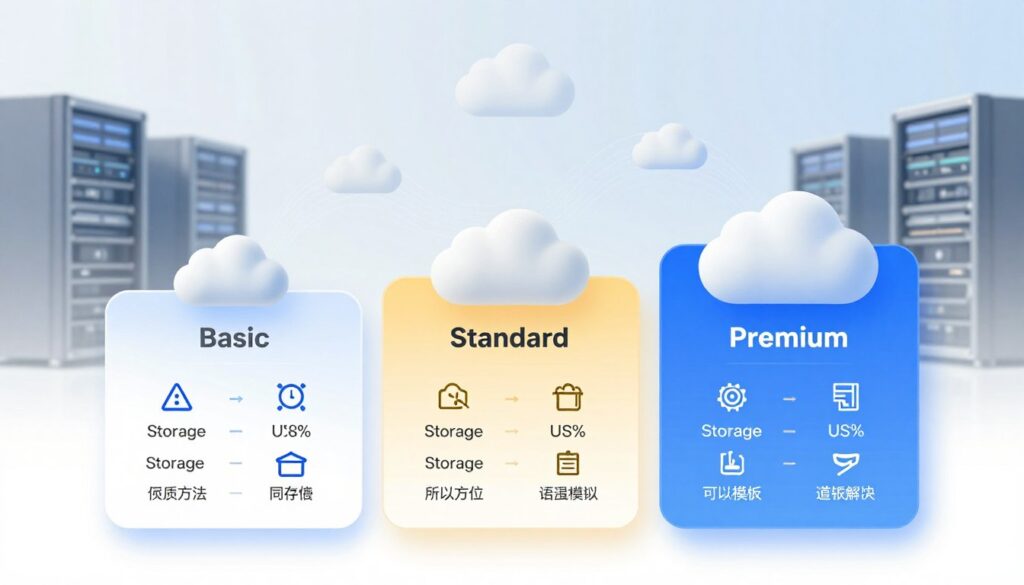
Tiered Subscription Plans are the most common. You offer several packages (e.g., Basic, Pro, Business) with more storage and features as you go up.
- Pro: Caters to different needs and budgets, maximizing revenue per user.
- Con: Requires careful design to ensure each tier feels valuable.
- Tactic: Benchmark against Google Drive and Dropbox, but differentiate with your unique value-added features like advanced security, collaboration tools, or niche-specific integrations.
Flat Rate or Pay-as-you-go models are less common for general consumers but appear in B2B contexts. A flat rate offers unlimited storage for a fixed fee, while pay-as-you-go charges per gigabyte.
- Pro: Simple for users; revenue scales directly with usage.
- Con: Flat rates can be risky if heavy users consume disproportionate resources.
Calculating Your Costs to Ensure Profitability
A competitive price is useless if it loses you money. Before finalizing your plans, you must understand your true cost per user. This ensures your pricing is profitable at scale.
Your main costs for each customer include:
- Storage Cost: The raw expense of the disk space you provision per user. This scales directly with your user base.
- Bandwidth Cost: The data transfer fees incurred when users upload, download, or sync files.
- Support Cost: The average cost of customer service, divided by your total paying users.
- Transaction Fees: Payment processor fees (often 2.9% + $0.30 per transaction).
To calculate a simple Cost Per User (CPU), add up these monthly costs and divide by your number of paying users. Your subscription price must be significantly higher than this CPU to cover marketing, salaries, R&D, and profit.
For example, if your CPU is $1.50 per month, a $9.99 “Pro” plan leaves a healthy gross margin. This margin must fund your customer acquisition cost (CAC). The golden rule is that a customer’s Lifetime Value (LTV) should be at least 3x your CAC.
Always model your costs for a scaling business. A price that works for 100 users might collapse under the weight of 10,000. Review your cost structure and pricing every quarter. This proactive financial discipline turns your subscription plans from a guess into a growth engine.
Executing a Pre-Launch Marketing Campaign
The time before your launch is not idle. It’s a chance to create excitement and demand. A well-planned pre-launch campaign turns curious people into eager users. This way, your cloud storage service will make a splash, not just a whisper.
This phase is about two key things: drawing in early interest with valuable content and turning that interest into a dedicated community. Let’s see how to make this happen.
Content Marketing and SEO to Attract Early Interest
People looking for cloud solutions want answers. Your content should give them that. Start a blog that addresses the pain points of your target customers. Write about data security, file sharing tips, or cost comparisons.
Each piece is a chance to show off your service’s strengths. Highlight your service’s strong security, uptime, support, and prices. This builds trust before your product launches.
Make sure to optimize your articles for search engines (SEO). Use the right keywords so your content shows up in searches. This organic traffic is a treasure trove of early adopters.
Promote your content everywhere. Share it on social media, email, and B2B forums. This gets your message out to more people.
Good content types for pre-launch include:
- Problem-Solving Tutorials: “How to securely share large video files.”
- Comparison Articles: Breaking down different storage models.
- Thought Leadership: Posts on the future of cloud technology.

Building Buzz with a Landing Page and Waitlist
A dedicated landing page is your campaign’s center. It should have a clear headline that shows your value. Follow with brief points on key benefits.
Include early social proof, like beta tester testimonials or launch partner logos. A short explainer video can also help a lot.
The most important thing is your waitlist or early sign-up form. It does three key things. It builds an email list for launch news. It shows how much interest you have. It also creates a sense of exclusivity and anticipation.
Offer something special for signing up early. This could be a discount, extra storage, or early access. Promote your landing page with paid social ads, content links, and influencer partnerships.
A well-managed waitlist turns passive interest into an active community. This gives you a warm audience ready to convert on day one.
By combining educational content with a focused buzz-building hub, you create a strong foundation. You’ll enter launch day with a group of people eager to use your service.
Launching Your Cloud Storage Service Successfully
Your launch is just the start, not the end. A smooth launch depends on two key steps: getting ready and welcoming your first users. Doing these well builds trust and sets you up for growth.
Your Launch Day Checklist: Final Preparations
Before you go live, a detailed checklist is essential. It makes sure you don’t miss anything important. This checklist focuses on getting everything ready for users and operations.
Here’s what to do to launch confidently:
- Execute Complete Server Stress Tests: Test your servers with lots of users to see if they can handle it. Check how fast they respond and if they can switch to a backup if needed. This helps avoid problems when lots of people sign up.
- Activate Your Payment Gateway: Make sure all payment plans work well and transactions go smoothly. Test real payments to check billing cycles.
- Finalize Your Support System: Set up your helpdesk software and make sure your team is ready to help 24/7. Have answers for common questions ready.
- Prepare Your Communication Plan: Write announcements for your website, email list, and social media. Have plans for updates if there are small issues. Being open helps users be patient.
- Double-Check Security Protocols: Make sure firewalls, encryption, and access controls are working. A secure launch is key for building trust.

Onboarding Your First Users and Gathering Feedback
Your first users are very important. Their first experience can decide if they stay and tell others about you. Make your onboarding process easy and helpful, not confusing.
Start with a friendly welcome email or message in the app. Guide them through setting up their account and uploading files with clear steps. A short video can also help a lot.
Make it easy for them to succeed quickly. Aim for that moment when they see the value of your service. Don’t overwhelm them with too many features at once.
Most importantly, ask for their opinions. Add short feedback surveys in the app after important actions. Also, send a follow-up email a few days later to check how they’re doing.
This feedback is very valuable. It shows you what’s working and what’s not. Use it to fix problems and improve your service. This shows users you care and are committed to making things better for them.
Remember, a successful launch cloud storage service is just the beginning. By following a detailed launch day checklist and focusing on onboarding users well, you can turn your first customers into loyal fans.
Strategies for Growth, Scaling, and Retention
The post-launch period is all about growing your cloud storage business. You focus on optimizing and retaining customers. This phase decides if your startup will grow or stay the same.
Success depends on scaling well and keeping users happy. You need a plan based on data for both.
Monitoring Metrics and Leveraging User Feedback
You can’t manage what you don’t measure. Moving to data-driven growth is key. Key performance indicators (KPIs) show what’s working and what’s not.
Track these metrics closely:
- Churn Rate: The percentage of customers who cancel. A low rate means happy customers.
- Customer Acquisition Cost (CAC): The cost to get a new customer. It should be less than what they’re worth.
- Monthly Recurring Revenue (MRR): The money from active subscriptions. It’s essential for your SaaS model.
- Storage & Bandwidth Usage: Watch how much each user uses. This helps with scaling and upselling.
Having these numbers in a dashboard helps you see clearly. The table below shows important metrics and why they matter.
| Metric | What It Measures | Why It’s Critical | Healthy Benchmark (Aim For) |
|---|---|---|---|
| Churn Rate | Customer loss over a period | Shows how well you keep customers and if they’re happy. | |
| CAC (Customer Acquisition Cost) | Cost to gain a new paying user | Must be lower than what customers are worth for profit. | CAC payback period |
| LTV (Customer Lifetime Value) | Total revenue from a customer | Shows the long-term value of your customers. | LTV:CAC ratio > 3:1 |
| Active User Rate | Users actively using the service | High activity means happy, loyal customers. | > 60% weekly active users |
| Infrastructure Cost per User | Your cost to serve each customer | Ensures your pricing stays profitable as you grow. | Declining trend as user base grows |
Metrics show you what’s happening, but user feedback tells you why. Use surveys, NPS polls, and support channels to listen. Make sure to act on feedback to keep customers happy and engaged.
Advanced Tactics for Customer Retention and Upselling
Keeping customers is cheaper than getting new ones. A strong retention strategy is key. Happy customers also help spread the word.
Go beyond basic support with these tactics:
- Loyalty and Reward Programs: Give benefits for long-term subscriptions. This could be discounts, extra storage, or early access to new features.
- Proactive Success Outreach: Don’t wait for problems. Check in with users who hit storage limits or use certain features a lot. Offer personalized tips or guide them to a better plan.
- Educational Content: Create tutorials, webinars, and blog posts to help users get more from your service. Users who use advanced features are less likely to leave.
Upselling is the next step. When a user is retained, they’re more open to new offers. Look at usage patterns to find customers ready for a higher plan. Timely, relevant suggestions feel helpful, not pushy.
For real growth, consider adding new services. As your platform grows, you can expand into areas like:
- Collaboration tools (real-time document editing, project spaces).
- Enhanced security features (block-level sync, ransomware detection).
- AI-powered features (smart tagging, content search, automated organization).
These services increase your average revenue per user and make your ecosystem stickier. Your job is to build an infrastructure that allows for easy, seamless scaling. Add new features without disrupting the core storage experience your customers rely on.
By balancing data-driven scaling and customer-centric retention, you turn your cloud storage business into a must-have platform. Your growth becomes smarter and more sustainable.
Conclusion
Your guide to start a cloud storage business is complete. You’ve covered every important step. From looking at the market to finding your unique spot, you’re ready.
You’ve learned how to make a detailed business plan and follow the law. Getting money and setting up your tech is now clear. Creating your MVP and making a smooth user experience are next steps.
Setting your prices and launching smartly gets you ready for the market. After launch, focus on growing and keeping customers. This whole process turns your dream into a real service.
Remember, investing in cloud servers helps small businesses succeed. Starting a cloud storage business is a smart move in our data world. It’s a great chance for entrepreneurs who focus.
Now, go ahead with your plan. Knowing the journey from idea to launch gives you confidence. Start building your cloud storage business today.