
Did you know that nearly 60% of small companies that lose critical data shut down within six months? If the thought of a crashed hard drive or a lost USB stick keeps you up at night, you’re not alone.
Welcome. This guide is here to turn that worry into confidence. We’re going to demystify a powerful tool that acts like a remote digital locker for all your company’s important information.
In simple terms, it’s about renting space and software over the internet from big providers like Google, Microsoft, or Amazon. Instead of files living only on one office computer, they live safely online. You might already use a version of this with services like Google Docs or QuickBooks Online.
This modern approach is no longer just a luxury for big corporations. For a growing operation like yours, moving away from scattered USB drives and vulnerable office servers is a necessity. It’s how you stay organized, secure, and competitive.
Consider this your friendly, step-by-step manual. We’ll walk you through the basics so you can take the first steps toward a smoother, more efficient way of running your cloud storage business for beginners.
Key Takeaways
- Cloud storage functions like a secure, online digital locker for your business files.
- It involves accessing computing resources (software, storage) via the internet from major providers.
- Moving to the cloud is a critical step for data security and business continuity.
- This method solves common problems like file disorganization and poor team collaboration.
- Modern tools like Google Docs are everyday examples of cloud-based services.
- Adopting this technology is essential for small businesses to remain competitive.
- This guide provides a clear, beginner-friendly path to getting started.
What is Cloud Storage and How Does It Work?
Cloud storage changes how small businesses handle data. It moves data from physical drives to secure online spaces. You can access these spaces 24/7.
Think of it as renting digital space from a provider. They manage massive servers in data centers. You upload your files through the internet, and they’re stored safely off-site. This setup means you pay only for the space you use, much like a utility bill.
This approach eliminates the need for expensive on-site servers and constant hardware upgrades. Your files live in a virtual environment managed by experts. You get to focus on running your business while they handle the technical heavy lifting. It’s a fundamental shift in how we think about data ownership and access.
Beyond Just Digital Filing Cabinets
Cloud storage is far more sophisticated than simple online folders. While it does organize files, its true power lies in enabling real-time collaboration. Multiple team members can edit the same document simultaneously from different locations. You see changes as they happen, eliminating version confusion.
Automatic backups are another game-changer. A reliable cloud storage solution continuously saves your work. If your laptop crashes, your files remain safe in the cloud. You can restore them to any device instantly. This peace of mind is invaluable for business continuity.
Access from any device—phone, tablet, or computer—gives your team unprecedented flexibility. Sales data checked from a smartphone, proposals edited on a home computer, and presentations finalized on a office laptop all flow seamlessly. Your business operations are no longer tied to a single physical location.
The Technology Behind the Cloud
When you save a file to the cloud, it travels to a highly secure data center. Companies like Google, Amazon, and Microsoft operate these facilities worldwide. They’re filled with rows of powerful servers in climate-controlled environments. Your data gets duplicated across multiple machines for safety.
This redundancy means if one server fails, others immediately take over. You never experience downtime or data loss. The providers implement military-grade security with encryption, firewalls, and 24/7 monitoring. They invest billions in infrastructure so you don’t have to.
The “pay-as-you-go” model makes this enterprise-level technology affordable for small businesses. You’re sharing these advanced resources with other companies. Yet your data remains completely private and isolated. This shared infrastructure drives down costs while maintaining top-tier performance and security for your cloud storage solution.
Different Types of Cloud Storage Models
Not all cloud storage works the same way. Understanding the different models helps you choose the right foundation. The three main types each offer distinct advantages for various business needs. Your choice depends on factors like budget, security requirements, and control preferences.
The public cloud is the most common and cost-effective option. Your data resides on shared servers managed by third-party providers. Private cloud offers dedicated servers for your business alone, providing maximum security and control. Hybrid cloud combines both approaches, keeping sensitive data private while using public resources for less critical information.
Here’s a detailed comparison to help you understand which model might suit your business:
| Storage Model | Key Features | Best For Businesses That | Typical Cost Structure |
|---|---|---|---|
| Public Cloud | Shared infrastructure, managed by provider, high scalability, pay-per-use | Need low upfront costs, have standard security needs, want easy setup | Monthly subscription based on storage volume |
| Private Cloud | Dedicated servers, enhanced security controls, customizable configuration | Handle sensitive data (healthcare, finance), have strict compliance requirements | Higher fixed costs, often includes hardware investment |
| Hybrid Cloud | Combines public and private elements, flexible data placement, balanced approach | Want to keep core systems private while using cloud for backups/collaboration | Mixed: fixed costs for private portion + variable for public usage |
Each model represents a different approach to the same cloud storage solution. Public clouds offer the easiest entry point for beginners. Private clouds provide the most control for growing enterprises. Hybrid solutions give you the flexibility to evolve as your needs change.
Your business might start with a public cloud and later add private elements as you grow. Many providers now offer seamless transitions between models. This flexibility ensures your storage can adapt alongside your business expansion without requiring complete overhauls.
Why Your Small Business Needs Cloud Storage Now
How you store and access your business data can make a big difference. In this part of our beginner’s guide to cloud storage, we’ll see why switching is crucial. We’ll look at the problems with old methods and how the cloud offers solutions.

The Limitations of Traditional Storage Methods
Do you remember that USB drive with your financial reports? Or the external hard drive on your desk? These tools can fail, get lost, or damaged, taking your data with them.
Emailing files back and forth leads to “version chaos.” You end up with many copies of the same document, and it’s hard to know which one is current. This wastes time and can cause costly mistakes.
Keeping an office server is also challenging. The costs are high, and you need tech skills to manage it. One business owner said, “Our server felt like having another employee—one that demanded constant attention and expensive upgrades.”
Here are the main problems with traditional methods:
- High risk of data loss: Hardware fails, devices get misplaced
- Poor collaboration: Email chains and USB handoffs slow teamwork
- Hidden costs: Maintenance, upgrades, and IT support add up quickly
- Limited access: Files are trapped in one physical location
- Security gaps: Physical devices can be stolen or compromised
These aren’t just small issues. They’re big risks that can hurt your business. The good news? There’s a better way that fixes these problems and gives you new powers.
Competitive Advantage in the Digital Age
Cloud storage turns these problems into strengths. It lets small businesses compete with big companies. You get big company features without the big costs.
With cloud storage, your team can work from anywhere. This means you can react faster than competitors stuck in one place. You’re not limited by where you are or when you work.
Collaboration becomes easy. Many people can work on the same document at the same time. Changes are synced instantly. There’s only one version, so you avoid confusion and work faster.
Most importantly, you get top-notch security. Cloud providers offer:
- Enterprise-grade encryption protecting your data
- Professional backup systems that run automatically
- Centralized controls for managing access and permissions
- Compliance features for industry regulations
The pay-as-you-go model means no big upfront costs. You only pay for what you use, and can grow quickly when needed. This is great for businesses that are growing fast.
Switching to cloud storage isn’t just about keeping up with tech. It’s about getting a strategic edge that lets you focus on your business, not your storage system.
In today’s market, customers expect quick service and seamless experiences. Cloud storage helps you deliver that. It lets you work remotely, which top talent expects. It also protects your data, building trust with clients.
This part of our beginner’s guide to cloud storage shows that the question isn’t if you can afford the cloud. It’s whether you can afford not to. Old methods hold you back, while cloud solutions move you forward with what modern business needs.
Key Benefits of Cloud Storage for Small Business Operations
Choosing cloud storage brings many benefits to your small business. It turns your data into a dynamic, always-accessible asset. Let’s explore the main advantages that make this shift valuable for your daily work and future growth.
Accessibility: Work From Anywhere, Anytime
Cloud storage lets you access your files from anywhere. No need to be stuck at a desk. Your team can get to them from any device with internet.
Want to review a proposal from home? Check inventory from a tablet at a meeting? Share a presentation from your phone while traveling? The cloud makes it all easy. It supports remote work, quick responses, and keeps your business running smoothly.
Cost Savings: Reducing IT Infrastructure Expenses
Every dollar matters for small businesses. Traditional data storage costs a lot upfront. Cloud storage changes this.
It turns a big upfront cost into a monthly or yearly fee. You only pay for what you need. This saves you from hidden costs like server repairs and security. Starting a cloud storage business for your company also saves you money on IT and security.
Scalability: Growing With Your Business
Your storage needs will grow. With physical servers, scaling up is slow and expensive. Cloud solutions are flexible.
Need more space? Upgrade your plan with a few clicks. Add new team members just as easily. This flexibility means you only pay for what you use, making it easy to grow.
Collaboration: Teamwork Made Simple
Cloud storage changes how your team works together. No more emailing different versions of documents. Everyone works on the same live file in the cloud.
Team members can edit together, leave comments, and track changes in real time. This speeds up projects and avoids confusion. Easy sharing means you can work securely with clients or contractors too.

This leads to a smoother, faster, and more transparent workflow. It boosts your team’s productivity.
Disaster Recovery: Protecting Your Business Data
Your data is very valuable. Local storage can be lost to physical disasters or digital threats. Cloud providers store your data in secure, distant data centers.
This keeps your files safe and backed up off-site. If your office equipment fails, your data is safe. This disaster recovery and data security give you peace of mind. It’s a key benefit of a reliable cloud service.
Choosing the Right Cloud Storage Business for Beginners
Choosing your first cloud storage service can be tough. Ignore the flashy ads and focus on what your business needs. This guide will help you make a smart choice.

Assessing Your Business Storage Needs
Start by looking inward. You can’t pick the right tool if you don’t know the job. Ask yourself a few foundational questions.
What is your current file volume? Take an inventory of your essential documents, presentations, spreadsheets, and media files. A rough estimate in gigabytes (GB) is a great starting point.
How fast is your data growing? A freelance designer adding large project files weekly has different needs than a consultant who mainly stores PDF reports.
How many people need access? The size of your team directly impacts cost and collaboration needs. Also, define your primary goal for moving to the cloud. Is it to ditch a costly server, to enable work from anywhere, or to lock down sensitive files with better security?
Your answers will point you toward the right type of solution—whether a public cloud for general use, a private cloud for heightened control, or a hybrid model.
Must-Have Features for Small Businesses
Not all features are created equal. When evaluating cloud storage services for beginners, prioritize these non-negotiable elements for smooth and safe operations.
- Robust Security: Look for strong encryption (both for data in transit and at rest), two-factor authentication, and clear privacy policies. Compliance with standards like GDPR or HIPAA may be crucial for your industry.
- Effortless File Sharing & Collaboration: The ability to share files via links, set view/edit permissions, and see real-time updates from teammates is a game-changer.
- Reliable Synchronization: Your files should sync seamlessly across all devices—desktop, laptop, and mobile—without errors or version conflicts.
- Intuitive Ease of Use: Your team shouldn’t need a manual. A clean interface and simple folder structure reduce training time and frustration.
- Responsive Customer Support: As a beginner, knowing you can get help via chat, phone, or email when needed provides invaluable peace of mind.
Understanding Storage Tiers and Plans
Pricing models can be confusing. Understanding the differences prevents you from overpaying or underbuying.
Most business plans are priced per user, per month. Each user gets a personal storage allotment, and there’s often a shared “pool” of storage for the team. So-called “unlimited” plans usually have fair usage policies, meaning storage must be used for normal business activities.
Scrutinize what happens when you need more space. Can you easily add storage or users? Is the price jump reasonable? The table below breaks down common plan structures to help you compare.
| Plan Type | How It Works | Best For | Key Consideration |
|---|---|---|---|
| Per-User Plans | Fixed storage (e.g., 1 TB) assigned to each licensed user. Team members have individual quotas. | Small teams with predictable, personal file storage needs. | Cost scales directly with team size. Can be wasteful if some users need less space. |
| Storage Pool Plans | A large bucket of shared storage (e.g., 5 TB for the team) that all users draw from. | Teams working heavily on shared projects with large, collaborative files. | More flexible use of space. Monitor usage to ensure the pool doesn’t run dry. |
| “Unlimited” Individual Plans | Promises unlimited storage for a single user, often at a higher individual cost. | Solo entrepreneurs or professionals with massive, growing data archives. | Always review the provider’s acceptable use policy for true limits. |
| Freemium Plans | Offers a small amount of free storage (2-15 GB) to start, with paid upgrades. | Micro-businesses or for testing a service before committing financially. | Free tiers lack advanced business features like admin controls or detailed audit logs. |
By matching your assessed needs with the right features and a transparent plan, you’ll find a cloud storage partner that supports your growth without breaking the bank.
Top Cloud Storage Solutions for Small Businesses
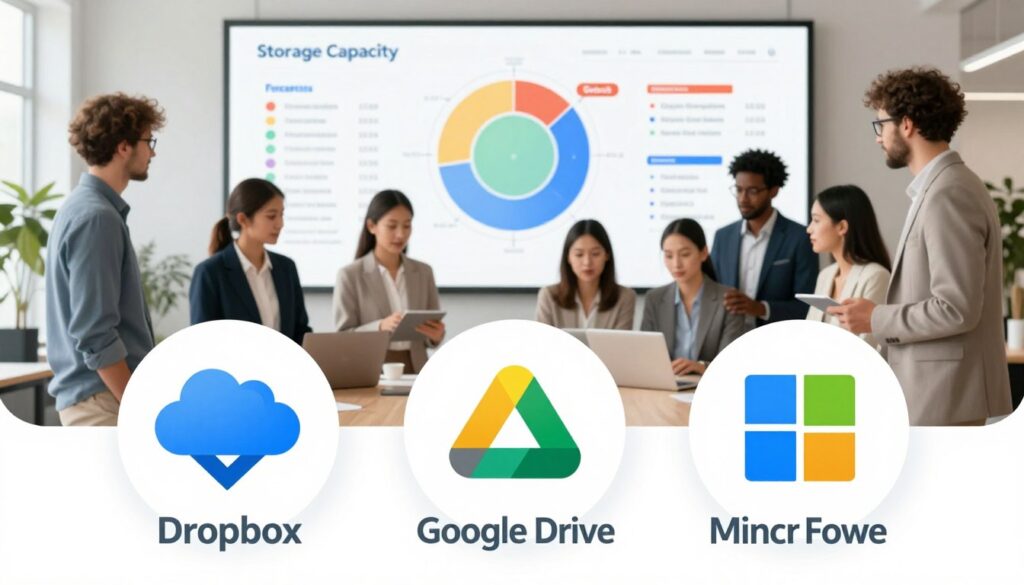
Choosing the right cloud storage is key for beginners. We’ve compared four top options to help you decide.
Google Drive: The Collaboration Powerhouse
If your team uses Gmail or works on documents together, Google Drive is perfect.
Overview for Small Businesses
Google Drive is at the heart of Google Workspace. It’s great for teams that need to work together in real time. It connects well with Gmail, Calendar, and Meet.
Key Features and Integration
Google Drive’s real-time editing in Docs, Sheets, and Slides is a big plus. You can see your team working and comment on files. It also keeps team data safe, even if members leave.
It works well with other Google services and many third-party apps through the Google Marketplace.
Pricing Structure
Google Drive is part of Google Workspace. The Business Starter plan costs about $6 per user monthly. It includes 30GB of storage and all the tools you need to collaborate.
The Standard plan offers 2TB of storage and more security features for a bit more money.
Microsoft OneDrive: Seamless Office Integration
For businesses that use Microsoft Office, OneDrive is the easiest choice. Your files and apps are in one place.
Overview for Small Businesses
OneDrive is closely tied to Windows and Microsoft 365. It’s perfect for those who use Word, Excel, and PowerPoint a lot. It saves files to the cloud and autosaves for you.
Key Features and Integration
OneDrive’s “Files On-Demand” feature saves space on your computer. You can see all your files in File Explorer but only download them when you need to. It also has a strong version history for restoring older drafts.
It works best with Microsoft 365 apps. You can also edit Office files with your team at the same time.
Pricing Structure
OneDrive for business comes with Microsoft 365. The Business Basic plan starts at about $6 per user monthly. It includes 1TB of storage and web/mobile versions of Office apps.
For desktop apps and more features, you’ll need a higher plan.
The right cloud storage isn’t about the most space; it’s about which system makes your team’s work invisible and instinctive.
Dropbox Business: The File Synchronization Specialist
Dropbox pioneered simple, reliable file syncing. Its business plans focus on powerful sharing and keeping files in sync across every device.
Overview for Small Businesses
Dropbox Business is known for its top-notch syncing engine. It works well on Windows, Mac, and mobile. Its interface is easy to use, making it simple for your team to get started.
Key Features and Integration
Smart Sync works like OneDrive’s On-Demand, saving space on your computer. Dropbox Paper is a built-in tool for collaborative documents. It also has great file recovery and version history, keeping 180 days of changes on standard plans.
It has a huge library of third-party integrations, from Slack to Zoom, making it a flexible central hub.
Pricing Structure
The Professional plan for individuals offers 3TB. For teams, the Standard plan starts around $15 per user monthly. It provides 5TB of shared space and essential admin controls.
Advanced plans add more storage, sophisticated security, and audit logs.
Box: Security-Focused Business Storage
When security and compliance are crucial, Box is a top choice. It’s designed for businesses in regulated industries or handling sensitive data.
Overview for Small Businesses
Box is more than storage; it’s a secure content management platform. It focuses on governance, workflow automation, and legal compliance. This makes it popular in finance, healthcare, and legal sectors.
Key Features and Integration
Box has advanced security features like custom encryption keys and detailed access logs. Box Shield uses AI to detect and fix potential threats. Its workflow tools can automate document approval processes.
It has deep integrations with Salesforce, Microsoft 365, and Google Workspace.
Pricing Structure
Box’s Business plan starts at about $15 per user monthly. It includes unlimited storage and all the security and collaboration features you need.
It’s a premium product, and its pricing reflects its advanced capabilities.
Here’s a quick table to summarize these tips for beginners in cloud storage business selection:
| Solution | Best For | Standout Feature | Starting Price (Per User/Mo) |
|---|---|---|---|
| Google Drive (via Workspace) | Teams using Gmail & real-time collaboration | Live co-editing in Docs/Sheets/Slides | ~ $6 |
| Microsoft OneDrive (via 365) | Businesses deeply invested in Microsoft Office | Seamless “Files On-Demand” in Windows | ~ $6 |
| Dropbox Business | Reliable sync & simple sharing across all platforms | Best-in-class file synchronization engine | ~ $15 |
| Box | Security, compliance, & workflow automation | Advanced governance and security controls | ~ $15 |
Remember, the best choice aligns with your primary tools and your team’s workflow. Use this comparison as your starting guide.
Getting Started: Implementing Cloud Storage in Your Business
Implementation is where your planning comes to life. It turns cloud storage from a concept to a daily tool. A smooth deployment helps your team adapt quickly.
Follow a structured approach to avoid common pitfalls. Each step builds on the last, creating a logical path. This beginner’s guide to cloud storage implementation is your roadmap.
Step 1: Data Assessment and Migration Planning
Start by taking a complete inventory of your data. Identify your files, where they are, and who uses them. This step reveals the scope of your migration project.
Categorize your data by type, importance, and how often it’s used. Create a migration plan that focuses on critical files first. Move files during low-activity times to minimize disruption.
Define clear goals for your cloud storage business for beginners implementation. Common goals include better collaboration, security, or cost savings. Your goals will guide every decision.
Step 2: Selecting Your Primary Provider
Choose your cloud storage provider based on your research. Match their features to your business needs and goals. Consider both current and future needs.
Check compliance and security standards before making your choice. Ensure the provider meets industry regulations. This protects your company from potential risks.
Your selection should balance functionality, cost, and ease of use. The right provider makes the beginner’s guide to cloud storage transition smoother. They become your partner in digital transformation.
Step 3: Setting Up Accounts and Permissions
Create organizational accounts with the right user licenses. Use a clear naming convention for accounts and folders. This structure helps as your team grows.
Define permission levels based on job roles and responsibilities. Use the principle of least privilege—grant only necessary access. This approach minimizes risk while maintaining productivity.

Configure sharing settings and collaboration features according to your workflow. Test the setup with a small group before rolling it out company-wide. Early testing identifies issues before they affect everyone.
Step 4: Training Your Team
Effective training ensures your investment delivers maximum value. Start with basic navigation and common tasks your team performs daily. Focus on practical skills rather than technical theory.
Create simple guides, short video tutorials, or schedule live training sessions. Address common concerns about data security and accessibility upfront. Encourage questions and provide clear answers.
Designate “cloud champions” within your team—early adopters who can help others. Peer support accelerates adoption more than any formal training program. Celebrate small wins as people master the new system.
Step 5: Ongoing Management and Review
Cloud storage requires regular attention, not just initial setup. Schedule monthly reviews of storage usage, costs, and security settings. Adjust your plan as your business needs evolve.
Perform updates and patches regularly to maintain security. Monitor user activity to identify training gaps or workflow issues. Address problems quickly before they become habits.
This continuous improvement approach maximizes your cloud storage business for beginners investment. Regular audits keep your system optimized for current operations. They also prepare you for future expansion.
| Implementation Phase | Key Activities | Timeline | Success Metrics |
|---|---|---|---|
| Assessment & Planning | Data inventory, goal setting, migration scheduling | 1-2 weeks | Clear migration plan, defined objectives |
| Provider Selection | Feature comparison, security verification, contract review | 3-7 days | Signed agreement, configured trial account |
| Setup & Configuration | Account creation, permission settings, security configuration | 2-5 days | Test accounts working, permissions correctly applied |
| Team Training | Training sessions, guide creation, support system setup | 1-2 weeks | 80% team proficiency, reduced support questions |
| Ongoing Management | Monthly reviews, security updates, usage optimization | Continuous | Cost efficiency, security compliance, user satisfaction |
Remember, implementation success depends on clear communication. Keep your team informed at each stage. Address concerns promptly and celebrate progress together.
Your beginner’s guide to cloud storage journey ends in successful daily use. The system should feel intuitive and helpful, not complicated or restrictive. With proper implementation, cloud storage becomes an invisible advantage that powers your business growth.
Security Considerations for Your Cloud Storage
When starting a cloud storage business, security is key. It’s not just an option; it’s essential. Your customers and data need strong protection. A secure cloud storage solution gives you peace of mind and builds trust.
Modern cloud providers offer strong security tools. It’s important to know how to use them. Let’s look at the key security pillars every small business should have.
Understanding Data Encryption and Protection
Data encryption turns your information into unreadable code. Only those with the right key can read it. This happens in two important ways.
Encryption in transit keeps data safe as it moves. It’s like a secure armored truck for your files. This stops hackers from getting your data during upload or download.
Encryption at rest keeps data safe on the cloud provider’s servers. Even if someone got physical access, your files would be scrambled and useless.
When looking at cloud storage, ask about encryption standards. Look for strong, industry-accepted protocols. Many cloud services offer encryption by default, which is great for security.

Setting Up Proper Access Controls
Access controls decide who can see, edit, or share your files. They’re like giving different keys to different employees. Not everyone needs access to everything.
Start by defining user roles in your organization. Roles like administrators, editors, and viewers have specific permissions. Each role is tailored to job functions.
Use these features to manage access:
- Multi-factor authentication (MFA): Requires a second verification step beyond just a password
- Folder-level permissions: Control access to specific project folders or departments
- Share expiration dates: Automatically revoke access to shared links after set periods
- Audit logs: Track who accessed what files and when they did it
Regularly check who has access to what. Remove permissions when employees change roles or leave. This prevents security gaps.
Compliance Requirements for Small Businesses
Depending on your industry, you might need to follow specific data protection regulations. Compliance isn’t just about avoiding fines—it shows customers you take their privacy seriously.
Common regulations affecting small businesses include:
- GDPR (General Data Protection Regulation): Applies if you handle data of European Union citizens
- HIPAA (Health Insurance Portability and Accountability Act): Required for healthcare-related businesses
- CCPA (California Consumer Privacy Act): Affects businesses serving California residents
When starting a cloud storage business, check if your provider offers compliance support. Many have specific plans or settings for regulated industries. Look for providers with certifications like SOC 2 or ISO 27001, which indicate rigorous security practices.
Remember, compliance is your responsibility too. Choose a cloud storage solution that makes it easier to meet your legal obligations.
Backup Strategies Within the Cloud
Your primary cloud storage shouldn’t be your only copy of important files. Think of it as your active workspace. You need separate backups for true disaster recovery.
A good backup strategy creates redundancy. If something happens to your main files, you have another copy ready to restore. Many cloud providers offer built-in backup tools or integrate with dedicated backup services.
Follow these backup best practices:
- Use the 3-2-1 rule: Keep three copies of your data, on two different media, with one copy offsite
- Automate backups: Schedule regular backups so you don’t forget to run them
- Test restoration: Periodically verify you can actually recover files from your backups
- Version history: Enable file versioning to recover previous edits if needed
Cloud-to-cloud backup services can automatically copy your data to a second cloud provider. This gives you geographic separation and provider diversity. It’s an excellent approach for critical business data.
Your cloud storage solution becomes part of a comprehensive protection strategy when combined with proper backups. You get both convenient access and reliable recovery options.
Cost Analysis: Budgeting for Cloud Storage
When you switch to cloud storage, knowing the costs is key. It helps you avoid surprises and get the most value. Look at the total cost, not just the price per user. This includes subscription fees, extra features, and how it improves your work.
If you’re new to cloud storage services for beginners, knowing your budget is important. Let’s look at the numbers so you can plan with confidence.
Monthly vs Annual Pricing Models
Providers usually offer monthly or annual plans. Monthly plans give you flexibility without a long-term commitment. Annual plans often save you 15-20% compared to monthly rates.
For example, Google Workspace starts at $6 per user per month if you pay annually. Dropbox Business costs about $15 per user monthly. Basic AWS storage might be $7-10 monthly, while mid-range options can be $70.
Annual billing can save you money and simplify your budget. But, monthly billing is better for testing or if your team size changes. A good tip for beginners in cloud storage business is to start with monthly plans and switch to annual once you’re sure.
| Provider | Monthly Price (per user) | Annual Price (per user) | Savings with Annual Plan | Storage Included |
|---|---|---|---|---|
| Google Workspace | $7.20 | $6.00 | 16.7% | 30 GB – 2 TB |
| Microsoft OneDrive | $6.99 | $5.83 | 16.6% | 1 TB |
| Dropbox Business | $18.00 | $15.00 | 16.7% | 5 TB |
| Box Business | $17.00 | $15.00 | 11.8% | Unlimited |

Hidden Costs to Watch Out For
There are extra costs beyond the basic subscription. Knowing these can help you avoid surprises.
Storage overage fees happen when you use more than your plan allows. Some providers charge per extra GB. Data retrieval fees apply if you need to restore a lot of deleted files. Advanced support costs extra, beyond basic customer service.
For large teams, user management tools might need a higher plan. Integrating with other software can also add costs. Migration help, if offered, might have a one-time fee.
Always check the fine print about what’s included. Ask about fees for API calls, bandwidth usage, and early termination charges if you cancel early.
ROI Calculation for Small Business Investment
Return on investment (ROI) shows the real value of cloud storage. It compares costs to benefits over time.
First, add up your direct savings. Cut costs for server hardware, maintenance, and upgrades. Reduce IT staff time on storage management. Save on physical office space for equipment.
Then, measure productivity gains. Faster file access saves employee time. Better collaboration reduces project delays. Enhanced data security lowers the risk of costly breaches or downtime.
Lastly, consider strategic benefits. Scalability supports growth. Remote work expands your talent pool. Better customer service through data access may increase revenue.
Use this formula: (Total Benefits – Total Costs) ÷ Total Costs × 100 = ROI Percentage. Even basic cloud setups often show positive ROI in 6-12 months, mainly through reduced IT costs.
These budgeting tips are crucial for cloud storage business beginners. Understanding pricing, watching for hidden costs, and calculating ROI makes cloud storage a smart financial choice, not just an expense.
Best Practices for Cloud Storage Management
Smart management habits are key to getting the most from your cloud storage. This guide goes beyond setup to focus on daily routines. These routines keep your data safe, accessible, and useful. They ensure your digital investment supports your business growth.
Good data management is based on a few key principles. These include defining clear goals for your information, maintaining its quality, and protecting it. By following these best practices, you can turn your cloud storage into a powerful business tool.
Organizing Your Digital Files Effectively
A logical folder structure is your first defense against digital chaos. Start with broad categories like “Finance,” “Marketing,” and “Operations.” Then, create subfolders for projects, clients, or years. This saves time and reduces frustration.
Implementing a clear file naming convention is also crucial. A good format includes the project name, date, and a brief descriptor. For example, “ProjectAlpha_2023-10-27_InitialProposal.pdf” tells you what the file is at a glance.

The goal is intuitive organization. If a new team member can find a file in 30 seconds, your system is working. This foundational step makes every other management task easier.
Establishing Clear Usage Policies
Your cloud storage is a shared workspace. Without rules, it can quickly become disorganized. Create a simple one-page policy that outlines how your team should use the system. This document is a cornerstone of any effective beginner’s guide to cloud storage management.
Key policies to include are:
- Sharing Protocols: Define who can share files externally and what level of permission (view-only vs. edit) is standard.
- Data Classification: Specify which folders contain sensitive data, requiring extra security steps.
- Naming Rules: Formalize the file naming convention you’ve chosen so everyone follows it.
- Access Controls: State the principle of least privilege—people should only have access to the data they need for their work.
Communicate these policies during team training and make them easily accessible. This clarity prevents mistakes and strengthens your overall data security.
Regular Audits and Cleanup Procedures
Data has a lifecycle. Setting aside time quarterly for a storage audit keeps your cloud storage lean and secure. This process involves reviewing storage use, checking permissions, and archiving or deleting outdated files.
Start by looking at your largest files and oldest documents. Ask yourself if they are still needed for active operations or if they can be moved to a low-cost archive tier. Next, review user permissions. Former employees or contractors should have their access removed promptly.
Performing regular updates and patches on any linked desktop apps is also part of this maintenance routine. It ensures your local sync tools are secure and functioning properly. Think of audits as preventative medicine for your business data, catching small issues before they become big problems.
Integrating with Other Business Tools
To maximize efficiency, your cloud storage shouldn’t work in isolation. Most leading solutions connect directly with the other apps you use daily. This integration creates a seamless workflow that saves time and reduces errors.
For instance, you can connect your cloud storage to project management tools like Trello or Asana to attach files directly to tasks. Link it to communication platforms like Slack to share documents in channels without leaving the app. You can even set up automations where files saved to a specific folder are automatically shared with a client portal.
These connections turn your cloud storage solution into the central hub of your digital workspace. It stops being just a place you put files and becomes the glue that holds your business operations together. Exploring these integrations is a natural next step after mastering the basics of storage management.
Conclusion
Your journey into cloud storage for your small business starts here. You now know the benefits like easy access, cost savings, and strong disaster recovery. Solutions like Google Drive, Microsoft OneDrive, Dropbox Business, and Box are your paths forward.
Starting your cloud storage business is a smart move for modern operations. This guide showed you how to assess, migrate, and train your team. Keeping your data safe with security practices and audits is crucial as you grow.
Embrace this change to focus on your business goals. The right cloud storage setup frees you from IT worries. It lets you innovate and serve your customers better.
Take the first step today. Review your needs, choose a provider, and start the transition. Your business’s growth and efficiency are waiting for you in the cloud.