Did you know that 43% of companies that lose major data never reopen? Your company’s information is crucial. Protecting it is not just technical—it’s vital for survival.
The way we work has changed a lot. Teams are often spread out, making old storage methods outdated. When data goes with employees, local systems become weak.
Cloud-based data protection solutions are now the norm. What was once for small IT teams is now for all sizes. It’s more accessible and affordable than before.
Think of it as a smart shield for your digital assets. Automated, off-site protection keeps your business running through accidents, cyber attacks, or disasters. It’s a key investment for your company’s future.
Key Takeaways
- Major data loss can be catastrophic for a company’s survival.
- Remote work has made traditional, local storage methods inadequate.
- Cloud-based protection is now standard for businesses of all sizes.
- This approach provides automated, off-site security for your information.
- It’s a critical investment in your company’s continuity and future.
- Modern solutions are designed to be affordable and easy to manage.
- Proactive protection helps you recover from unexpected disasters.
Why Your Small Business Can’t Afford to Skip Data Backup
Your business data is more than just digital files. It’s the heart of your operations and your edge over competitors. Losing this data isn’t just inconvenient. It can stop you from serving clients, managing finances, and staying in business.
Many small business owners think data disasters only happen to others. They believe their small size or simplicity makes them safe. But, data loss hits businesses of all sizes every day.

The Surprising Risks Facing Your Business Data
Data risks aren’t just about server rooms flooding or buildings burning. Most data loss comes from everyday sources. These threats can be as damaging as any disaster.
Everyday Threats That Could Wipe Out Your Files
Your business faces many digital dangers. A coffee spill on a laptop can destroy years of work in seconds. Human errors, like accidentally deleting the wrong folder, happen often in busy workplaces.
Online threats are also a big risk. Ransomware attacks encrypt your files and demand payment. Data leaks expose sensitive customer information to criminals. As our source notes, “Data leaks and ransomware attacks can severely damage or even ruin a business.” These threats don’t care about your company size.
Malicious insiders are another risk. A disgruntled employee could intentionally delete or corrupt files. Even trusted team members might accidentally introduce viruses through email attachments or unsafe downloads.
Calculating the True Impact of Data Loss on Your Business
Lost files are just the beginning. The real cost includes downtime and lost productivity. Customers may lose confidence if you can’t access their records or complete their orders. Regulatory fines can pile up if you lose compliance documentation.
Rebuilding what you’ve lost takes time. Rebuilding customer databases from memory takes hours. Restoring financial records becomes a nightmare during tax season. The emotional toll on you and your team adds another layer of stress.
This table shows how different data loss scenarios affect various aspects of your operation:
| Data Loss Scenario | Immediate Impact | Long-Term Consequences | Recovery Difficulty |
|---|---|---|---|
| Ransomware Attack | All files encrypted, systems locked | Customer trust damaged, possible regulatory action | High – requires specialized decryption or complete restoration |
| Accidental Deletion | Missing critical documents or databases | Project delays, billing errors, operational gaps | Medium – depends on backup completeness and recency |
| Hardware Failure | Computer or server stops working | Lost productivity during replacement and setup | Low to Medium – if backups exist, restoration is straightforward |
| Theft of Devices | Missing laptops, phones, or external drives | Data breach risk, replacement costs, security concerns | High – physical recovery unlikely, data may be compromised |
| Natural Disaster | Office damage destroys all local equipment | Business interruption, potential relocation, client communication breakdown | Very High – requires offsite backup solutions for recovery |
Why Old-School Backup Methods Leave You Vulnerable
Traditional backup methods give a false sense of security. External hard drives and manual routines seem simple and affordable. But, they fail when you need them most.
The Hidden Dangers of Relying on Physical Drives
External hard drives can fail without warning. The same fire that destroys your office computer will melt your backup drive. Thieves often steal laptops and external drives together. These physical vulnerabilities make local-only backups risky.
Even when drives survive, they degrade over time. Magnetic platters develop bad sectors. Connectors wear out from repeated plugging and unplugging. You might not discover these problems until you attempt a restoration. By then, your critical files could be partially or completely unrecoverable.
Our source observation highlights this concern: “Local backups are a good start, but most of the time, make it difficult to restore and recover all of your files.” Physical media adds complexity to what should be a simple recovery process.
How Manual Backup Routines Create Security Holes
Human memory is unreliable for critical business tasks. You or your team might forget to run the backup before leaving for the weekend. During busy periods, backup routines often get postponed. These gaps leave your most recent work unprotected.
Manual processes introduce consistency problems. Different employees might save files to different locations. Backup drives might not get properly labeled or organized. When disaster strikes, confusion about what’s backed up and where slows your recovery.
Security updates often get neglected in manual systems. An outdated backup drive might contain vulnerabilities that hackers can exploit. Without automated verification, you can’t be sure your backups are complete and functional until it’s too late.
Modern cloud backup services solve these problems through automation and offsite storage. They remove human error from the equation while providing better protection for your small business data storage. Your files stay safe regardless of what happens in your physical office.
Finding the Perfect Online Backup for Small Business
Finding the right online backup service is easier when you know what to look for. The best service protects your business’s digital life. This guide will help you find the right features, compare top services, and take action.
Must-Have Features for Your Business Backup Solution
Not all backup services are the same. Look for these key features to get real protection.
Set It and Forget It: The Power of Automatic Backups
Your team is busy running the business. Manually backing up files is easy to forget. The best services back up automatically on a schedule you set.
Continuous or daily backups capture every change to your files. This means you have a complete history without doing anything. This automation is key for reliable affordable data backup solutions.
Keeping Your Data Safe: Encryption and Security Essentials
Your backup should be like a fortress, not a weak spot. Look for services that use strong AES-256 encryption for your data.
For extra security, choose a provider that offers private encryption keys. This “zero-knowledge” architecture means no one can access your files. Two-factor authentication adds another layer of protection, blocking unauthorized access to your backup account.
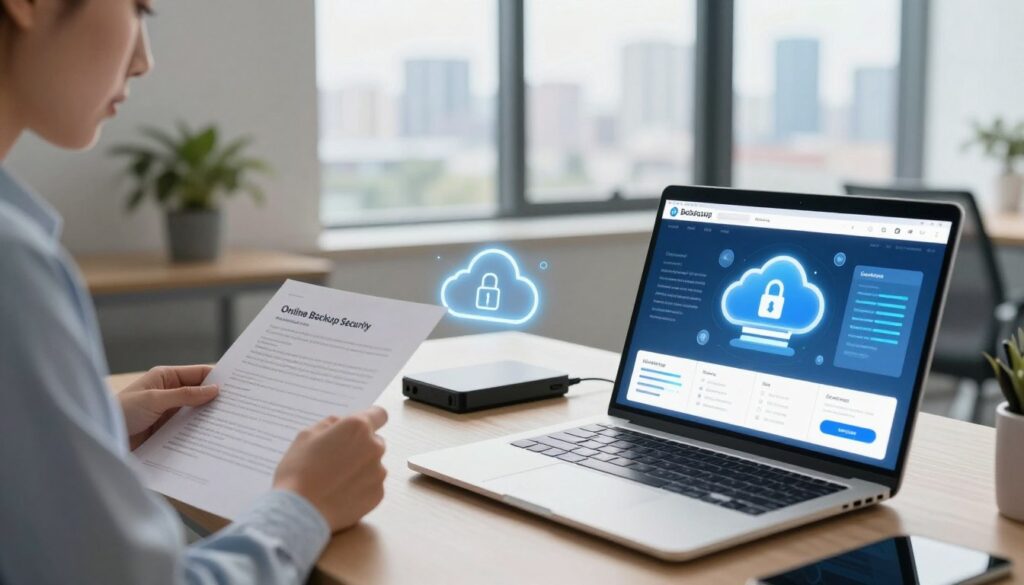
A backup is only as good as your ability to restore from it. Complicated recovery processes waste time in a crisis. Test the restore function before committing to any service.
Look for easy-to-use dashboards that let you browse backup versions visually. The ability to restore individual files or entire systems quickly is invaluable. Fast download speeds mean you can get back to work fast.
Top Online Backup Services for Small Businesses
These services are top-rated for balancing features, security, and value.
Backblaze Business: Straightforward Protection That Just Works
Backblaze Business is loved for its simplicity and unlimited data backup. It has a clean interface and works automatically. Experts praise its affordable pricing per computer, making it easy to protect your team.
It may lack some advanced sync features, but its core backup and restore functions are strong. Performance tests show it has consistent upload and download speeds, ensuring your data moves efficiently.
Carbonite Small Business: Comprehensive Coverage for Growing Companies
Carbonite is known for its ease of use and strong continuous backup technology. It automatically protects files the moment they’re saved. The service covers not just computers but also external drives and NAS devices.
Its professional plan includes features like bare-metal restore, which can rebuild an entire server after a disaster. This makes it a solid choice for businesses with more complex IT needs looking for automated backup services.
IDrive Business: Flexible Backup with Sync Capabilities
IDrive is praised as a “versatile and feature-rich” option offering great value. The IDrive Business plan backs up an unlimited number of computers, servers, and mobile devices to a single, large storage quota.
A standout feature is its sync functionality, which keeps folders updated across different devices. Combined with strong security and a rock-bottom price point, it’s often highlighted as one of the best backup solutions for small business, perfect for teams using multiple devices.
| Service | Best For | Key Strength | Security Highlight | Consideration |
|---|---|---|---|---|
| Backblaze Business | Simplicity & Unlimited Data | Straightforward pricing, easy setup | Strong encryption with optional private key | Fewer collaboration/sync tools |
| Carbonite Small Business | Comprehensive, Set-and-Forget | Continuous backup, server coverage | Automatic encryption, compliance support | Can be costlier for very large teams |
| IDrive Business | Value & Multi-Device Backup | Low cost per device, sync features | Zero-knowledge encryption, 2FA standard | Storage is pooled, not unlimited per device |
| Acronis Cyber Protect | Integrated Security | Combines backup with anti-malware tools | Advanced ransomware protection | Priced at a premium for full feature set |
Getting Your Backup System Up and Running
Once you’ve chosen a service, follow these steps to implement your protection correctly from day one.
Step 1: Identify Your Most Critical Business Data
Start with a quick audit. What files would cripple your operations if lost? Financial records, client databases, project files, and email archives are common priorities.
Don’t forget application settings, website files, and digital assets. Knowing what to protect first helps you configure your initial backup efficiently and avoid wasting time on non-essential files.
Step 2: Configure Your Initial Backup Settings
Install the software on your key computers and servers. During setup, select the folders containing your critical data. Set your backup schedule—daily or continuous is ideal for most businesses.
Enable encryption and two-factor authentication immediately. Let the first, full backup run completely. This might take hours or days depending on your data volume, so plan to start it during off-hours.
Step 3: Test Your Recovery Process Before You Need It
This is the most important step most businesses skip. Once your backup is complete, perform a test restore. Select a few non-critical files and recover them to a test location.
Verify the files open correctly and are the latest versions. Schedule a test restore quarterly to ensure your automated backup services are working perfectly. True peace of mind comes from knowing your recovery plan actually works.
Conclusion
Choosing the right online backup is a key step for your company’s safety. The best small business data backup options do more than just store data. They offer automatic protection, strong security, and fast recovery when you need it.
Services like Backblaze, Carbonite, and Acronis have plans for businesses. They know your needs are different from a single user. They offer custom plans that keep your files, apps, and team safe.
Performance is also important. A slow system can disrupt your work. Your plan should be clear.
First, understand the risks to your data. Look for automatic features and strong security. Choose a service that fits your budget and needs from the small business data backup options. Then, set it up and test the restore process. Knowing your data can be recovered gives you confidence.
This investment protects your hard work and customer trust. It lets you focus on growing your business with peace of mind. Your company’s future is worth securing today.