Did you know that 95% of cybersecurity breaches are caused by human error? This often involves misconfigured online services. So, your most important files could be at risk, even if you think they’re safe.
File syncing and storage platforms have changed everything. They let you back up your data and access it from any device with an internet connection. It’s the ultimate convenience for your modern, digital life.
But here’s the truth: convenience means nothing without true protection. Your photos, work projects, and personal records deserve a fortress, not just a digital drawer.
This is your friendly guide to moving beyond basic backup. We’ll show you how to build unshakable peace of mind for your precious information. Services like Microsoft OneDrive are praised for being user-friendly. But rock-solid security is the essential foundation that makes any service worth using.
Key Takeaways
- Online file services offer major convenience for backing up and accessing your data from anywhere.
- Convenience alone is not enough; robust security is the critical component for true safety.
- Many popular platforms focus on usability, but you must actively ensure your security settings are correct.
- Protecting your digital files is about achieving lasting peace of mind, not just avoiding inconvenience.
- Understanding the risks is the first step toward creating a truly safe environment for your information.
- A secure online data backup strategy is a foundational element of modern digital life.
Your Documents Are Precious: Why Cloud Security is Non-Negotiable
You wouldn’t leave your front door unlocked or your wallet on a park bench. So, why treat your digital documents any differently? Those files hold hours of work, confidential plans, memories, and personal info. Cloud security can’t be ignored.
Understanding the stakes is key to making smart choices. Let’s explore what happens when security fails. And why getting it right is more than just protection.
The Real-World Cost of a Data Breach
Data breaches are not just about hackers. They affect you personally and concretely. The damage goes beyond a single stolen file.
The financial hit is immediate and severe. It’s not just about ransom demands. You face fines, legal fees, and the cost of fixing systems. For small businesses, these costs can be devastating.
Operational paralysis is another consequence. Dowtime can be deadly. While systems are down, work stops. Projects stall, customer service fails, and revenue stops.
The loss of trust is the most damaging cost. A breach erodes client and partner trust. Rebuilding trust is a long, hard battle.
The personal toll is also significant. Managing a crisis, notifying affected parties, and fearing liability causes stress. This affects business owners and employees.

Implementing proper data security solutions is essential. It’s a critical investment, not an optional expense. It’s about protecting everything you’ve built.
Peace of Mind: The Ultimate Benefit of Getting It Right
Imagine the confidence of knowing your documents are safe. This peace of mind is the ultimate reward for prioritizing security.
It’s the freedom to collaborate without fear. You can share files with remote teams or send contracts to clients, knowing they’re secure. You work with focus, not worry.
It’s the ability to access your files anywhere, knowing they’re impenetrable. Whether it’s financial records, designs, or family photos, they’re available but protected.
This confidence transforms your operations. It enables innovation, supports remote work, and fosters secure partnerships. Investing in reliable data security solutions unlocks your full operational capacity.
Feeling secure, where your digital assets are as protected as physical ones, is non-negotiable. It’s the foundation of modern digital work and life.
Defining Secure Cloud Storage for Documents
Secure cloud storage is all about giving you easy access while keeping others out. It’s perfect for working from anywhere without worrying about your data’s safety. But, to choose wisely, you must understand what actually makes it secure, beyond just marketing.
More Than Just a Digital Filing Cabinet
Basic cloud storage is like an online locker. You can put files in and take them out. But, a secure service is more like a smart command center for your documents. It offers strong security and tools to help you work better.
This is when it goes beyond simple storage and becomes document management software. It has key features like:
- Version History: Saves old versions of files, so you can fix mistakes or see changes.
- Structured Organization: Uses folders and tags to help you find files quickly.
- Powerful Search: Finds documents by name, content, or date across your storage.
These tools are built into a security-focused system. They’re not just extras; they’re part of the protection.
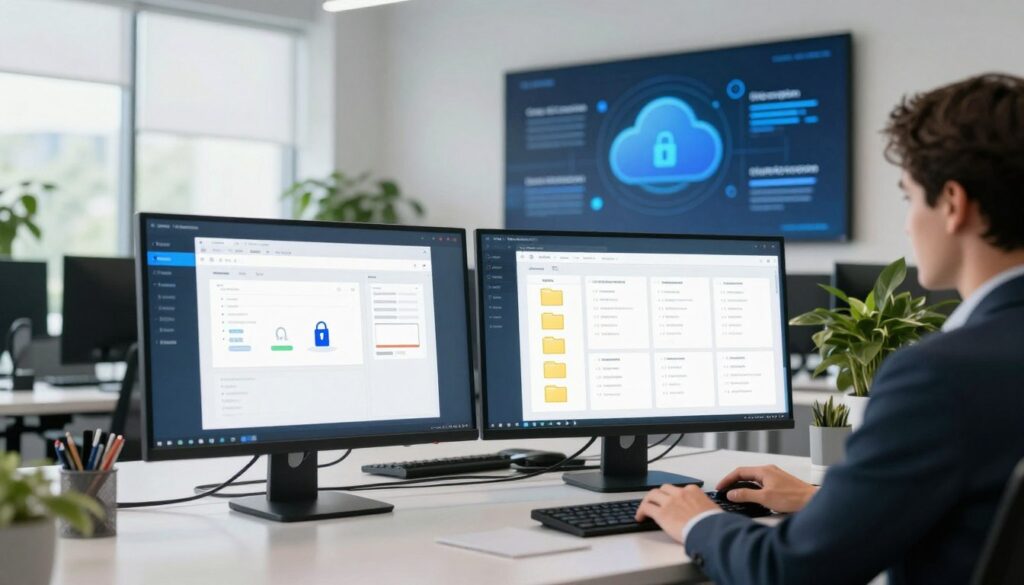
The Core Promise: Accessibility Meets Impenetrable Security
Top-notch secure cloud storage offers two main things. First, your files are always ready for you, anywhere, anytime. Second, they’re locked tight against anyone else.
This means the service must be always available but never see your private data. This is done through end-to-end encryption.
Services like Proton Drive live up to this promise. They say: “Proton Drive’s end-to-end encrypted cloud storage ensures no one but you and the people you choose can access your files. Not even Proton.”
With this approach, your files are encrypted before they go to the cloud. Only you have the keys. This is the level of privacy you should expect: a service that helps your work, not looks at your private stuff.
Meet the Adversaries: Threats Targeting Your Cloud Files
Let’s explore the characters in the cloud security story. Not all have good intentions. Knowing these threats helps you choose the right defenses. This way, you can use your cloud storage with confidence.

The digital world has many dangers, from smart criminals to simple mistakes. We’ll look at the main threats so you can spot them.
Cybercriminals and Their Evolving Toolkits
Today’s online thieves are organized and tech-savvy. They look for small cracks in the system. Two big threats are ransomware and phishing.
Ransomware: Holding Your Data Hostage
Imagine logging in to find all your files locked. That’s ransomware. It encrypts your documents, making them unreadable. The criminals demand a ransom, often in cryptocurrency.
Even if you pay, there’s no guarantee you’ll get your files back. This shows why secure backups are essential in document protection services.
Phishing Attacks: The Human Weakness
This threat targets you, not software. Phishing uses fake emails, texts, or websites. They aim to trick you into revealing login details or downloading malware.
A common example is an email that looks like it’s from your cloud storage provider. It might ask you to click a link to “secure your account.” Stay alert to avoid this.
When Trust is Broken: Insider Threats
Not all dangers come from outside. An insider threat is when someone with access misuses it, intentionally or by accident.
- Malicious Insiders: A disgruntled employee or contractor who steals, deletes, or leaks sensitive documents.
- Careless Users: Staff who accidentally share files with the wrong person, use weak passwords, or fall for phishing scams.
Strong internal controls and permission settings are as important as external firewalls.
Systemic Risks: Provider Outages and Vulnerabilities
Sometimes, the risk is a system, not a person. Even top cloud companies face technical problems.
A major server outage could make your documents inaccessible. Software vulnerabilities are also a risk. Hackers can exploit these to gain unauthorized access.
Choosing a provider with a good uptime record and quick security fixes is key. This is important when evaluating document protection services.
Knowing your enemies is your first defense. By recognizing these threats, you’re already better prepared. The good news? For every threat, there are specific solutions, which we’ll explore next.
Lock and Key: How Encryption Keeps Your Documents Safe
Encryption is like a digital vault for your documents. It turns them into puzzles that only the right key can solve. This tech is the hero of encrypted file storage, keeping your files safe from prying eyes.
Learning how it works helps you pick the best document encryption tools and services. It gives you confidence in your choices.
Encryption at Rest: Your Data’s Fort Knox
When your files are stored on a cloud server, they’re “at rest.” Encryption at rest scrambles this data. It turns your documents, spreadsheets, and photos into unreadable characters.
Even if someone stole the hard drive, they’d see only gibberish. This is your data’s Fort Knox moment.
AES-256: The Industry Standard Explained
Top services use AES-256 encryption. It’s like the world’s strongest lock. The “256” means it’s virtually unbreakable, even for supercomputers.
Using AES-256 encryption means your data is protected by the gold standard.
Who Holds the Keys? Understanding Your Control
Who controls the encryption keys is key to your privacy. There are two main models.
With provider-managed keys, the service holds the master key. They can decrypt your data for maintenance or legal reasons. It’s convenient but means you’re trusting them with access.
Client-side encryption, or zero-knowledge encryption, puts you in full control. Services like Proton Drive and Sync use this model. Your files are encrypted on your device before they reach the server.
Only you hold the key. This means the provider can’t access your files. As Sync says, this ensures they “can’t access your files.” It’s the ultimate in privacy for your documents.

| Feature | Provider-Managed Keys | Client-Side Encryption |
|---|---|---|
| Key Holder | The cloud service provider | You, the end-user |
| Provider Access to Data | Technically possible | Impossible (Zero-Knowledge) |
| User Responsibility | Low – you rely on provider security | High – you must safeguard your password/key |
| Best For | General business collaboration, ease of use | Highly sensitive documents, maximum privacy |
| Example Services | Many standard business cloud suites | Proton Drive, Sync.com, Tresorit |
Encryption in Transit: Armoring Data on the Move
Encryption at rest protects your files while they’re stored. But what about when they’re moving? Encryption in transit creates a secure tunnel between your device and the cloud server.
Whenever you upload or download a file, this technology (like TLS/SSL) activates. It wraps your data in armor during its journey across the internet.
This prevents “man-in-the-middle” attacks where hackers try to intercept data during transfer. A secure connection shows the padlock icon in your browser’s address bar.
The Pinnacle of Privacy: End-to-End Encryption
For the highest level of security, look for end-to-end encryption (E2EE). This combines the best of both worlds. Your files are encrypted on your device (client-side) and stay encrypted all the way to the recipient’s device.
The cloud server only handles the encrypted, scrambled version. Not even the service provider can peek at your content. This is the standard for secure messaging apps and top privacy-focused document encryption tools.
Proton Drive is a prime example. Your documents are sealed shut before they leave your computer or phone. Only someone with your private key can open them. This ensures total privacy from creation to storage to sharing.
Encryption is your first and most powerful line of defense. It turns your cloud storage into a private, impenetrable space for your most important work.
Fortifying the Front Door: Access Control and Authentication
Think of your cloud storage account as your digital home’s front door. The most sophisticated locks inside (like encryption) matter little if the entrance itself is weak. This is where access control and authentication come in—they are the essential cloud storage security measures that decide who gets in and what they can do.

Building a Strong First Line of Defense with Passwords
Your password is the first key. A weak one is like leaving your key under the mat. Creating a strong, unique password for your cloud service is non-negotiable.
Here’s how to build a better one:
- Make it long. Use a phrase or a combination of at least 12 characters.
- Mix it up. Combine uppercase, lowercase, numbers, and symbols.
- Never reuse passwords across different sites. If one gets compromised, they all do.
A password manager can generate and store these complex keys for you. This simple habit forms the bedrock of your personal security protocol.
Two-Factor Authentication (2FA): Your Security Superpower
If a password is one lock, 2FA adds a second, completely different one. It’s an absolute game-changer that blocks nearly all automated attacks.
Here’s how it works: after entering your password, you must provide a second proof of identity. This is usually a code sent to your phone via text, an app like Google Authenticator, or a physical security key.
Even if a hacker steals your password, they can’t get in without that second factor. Turning on 2FA is one of the most powerful single actions you can take to secure your documents. Enable it on your cloud storage account today.
Granular Permissions: Controlling the “Who” and “What”
Security isn’t just about keeping people out; it’s about smartly letting the right people in for the right reasons. When you share a document, granular permissions let you specify exactly what each person can do.
You can set someone to “view only,” preventing them from editing or downloading. You might allow “comment” access for feedback without alteration. Crucially, you can often restrict the ability to share the link further, containing its spread.
Some services, like IDrive, add another powerful layer: password-protected shared links. This means even someone with the sharing link needs a separate password you provide, giving you total control over your digital front door. These tools minimize risk and are vital for safe collaboration.
The Invisible Shield: Network and Infrastructure Security
Behind the login screen and encryption layers lies a vast digital world. Your cloud provider must watch over it carefully. This is the network and infrastructure security world. It’s the invisible shield that guards your data 24/7.
You might not see these systems at work. They operate quietly in the background. Yet, they are key to any reliable secure online data backup service.

Guarding the Digital Perimeter
A provider’s network is like a high-security digital compound. The first defense is a strong digital perimeter. It’s a system of layers designed to stop threats before they reach your files.
Advanced firewalls act as smart gatekeepers. They check every piece of data coming in or out. They block suspicious traffic based on updated security rules.
Intrusion Detection and Prevention Systems (IDPS) are like patrol guards. They watch network activity for signs of an attack. If they find something malicious, they block it and alert security teams.
Distributed Denial of Service (DDoS) attacks try to flood a network with fake traffic. Top providers use services to absorb and filter this flood. This keeps your access smooth, even during an attack.
Inside the Fortress: Data Center Physical Security
Your documents live on physical servers in a data center. The security of this location is critical. This is where secure online data backup becomes very real.
Leading facilities are like fortresses. Access is controlled with multi-factor authentication. This includes biometric scanners, key cards, and pin codes. 24/7 manned security and video surveillance watch every entry and corridor.
Environmental controls are also key. Precision climate systems keep servers at the perfect temperature. This prevents overheating and hardware failure. Redundant power supplies and backup generators ensure the lights never go out.
Your files are safer here than on a laptop in a coffee shop or a server in your office closet. This professional environment is a core part of reliable data protection.
Redundancy: Ensuring Your Data is Always There
Security isn’t just about keeping bad actors out. It’s also about making sure your data is always available. This is where redundancy becomes a security superpower.
Redundancy means your documents are not stored in just one place. A good provider copies your data across multiple servers. Often, these servers are in different data centers.
If one server has a problem, your files are instantly served from another. If an entire data center has a problem, a backup location takes over. This design ensures business continuity and peace of mind.
For you, this means your secure online data backup is resilient. A local disaster or system failure won’t cause you to lose access. Your documents remain secure and reachable whenever you need them.
Together, these unseen layers—network defenses, physical fortresses, and redundant systems—create a complete security ecosystem. They work with encryption and access controls you manage. This full-circle protection is what makes modern cloud storage trustworthy for your most important documents.
Essential Features of Secure Cloud Storage for Documents
Choosing a cloud storage service is more than just security. It’s about features that make your work safe and efficient. The right tools turn a simple storage space into a powerful document management software platform. These features give you control, help teamwork, and offer peace of mind.

Version History: Your Undo Button for Everything
Ever saved over an important file or deleted a key paragraph? Version history is your magic undo button for all your documents. It saves snapshots of your files as you edit them.
With a single click, you can go back to any previous version. It removes the fear of making permanent mistakes. This is great for tracking project changes or recovering from accidents.
Secure Sharing and Collaboration Without the Risk
Today’s work often requires teamwork. Services like Microsoft OneDrive stand out by allowing real-time editing while keeping things secure. You can see changes as they happen, but access is controlled.
Proton Drive offers flexible sharing options. You can decide how a file is shared. The goal is to boost productivity without risking your data.
Setting Expiration Dates and Password Protection on Links
For total control over shared links, look for these two key settings. An expiration date disables a shared link after a set time. This is great for temporary projects or sensitive drafts.
Password protection on a share link means only those with the password can access it. This adds a vital second layer of security, even if the link is exposed.
“Granular sharing controls are not just a convenience; they are a fundamental component of a mature data security posture.”
Remote Wipe: Protecting Data on Lost Devices
Lost a laptop or phone? It’s stressful. The fear of your data getting into the wrong hands is worse. Remote wipe lets you delete synced files from a lost device remotely.
You protect your information, even when the device is gone. This feature turns a disaster into a manageable issue.
Complete Audit Trails: Seeing Every Action
Who accessed that financial report last Tuesday? When was the client contract downloaded? A complete audit trail logs all user activity with timestamps.
You can see every view, edit, download, and share event. This visibility is key for security checks, regulatory compliance, and internal governance. It keeps everyone accountable.
These features make a big difference between basic storage and smart document management software. Here’s how some top services compare on these essential tools:
| Feature | Microsoft OneDrive | Proton Drive | Google Drive (Enterprise) |
|---|---|---|---|
| Version History | Detailed version history for Office files & others | Basic file versioning support | Extended version history for Workspace files |
| Secure Sharing Controls | Expiration dates, password links, granular permissions | Password-protected links, expiration dates | Expiration dates, access notifications, restricted links |
| Remote Wipe | Yes, via Microsoft Endpoint Manager | Yes, for devices linked to your account | Yes, via Google Admin console |
| Audit Trail / Logs | Comprehensive audit logs in Admin center | Access logs for account activity | Detailed audit logs in Google Vault |
When choosing providers, focus on features that fit your workflow. The best document management software should make security easy and collaboration smooth.
Navigating the Rulebook: Compliance and Data Regulations
Choosing a secure cloud isn’t just about technology. It’s about ensuring your provider follows the rules that protect your data. Compliance acts like the guardrails on the digital highway. It keeps everyone safe and moving in the right direction.
For businesses, these regulations are non-negotiable. Ignoring them can lead to massive fines and a loss of customer trust. A robust data security solution weaves these legal requirements right into its fabric. This turns a complex challenge into a simple choice for you.

Global Privacy Laws: GDPR and CCPA
If your work touches data from people in Europe or California, two acronyms are key. The General Data Protection Regulation (GDPR) and the California Consumer Privacy Act (CCPA) focus on one thing. People should control their own information.
These laws give users powerful rights. They can ask what data you have, demand a copy of it, or request its deletion. The core principle is consent. You must be clear about what you’re collecting and why.
Using a provider like Sync, which is built to be GDPR compliant, handles much of this heavy lifting. Their systems are designed to help you meet these obligations seamlessly. This approach is a cornerstone of modern data security solutions.
Healthcare and Finance: HIPAA and FINRA Compliance
Some industries have their own strict rulebooks. Healthcare and finance deal with incredibly sensitive information. A simple data leak here isn’t just a privacy issue. It can be a matter of personal safety or financial ruin.
The Health Insurance Portability and Accountability Act (HIPAA) sets the standard for protecting patient health information. It dictates how data is stored, accessed, and shared. Financial advisors and broker-dealers follow FINRA rules. These govern how client records are secured and retained.
For healthcare providers, a service like Sync offers a HIPAA-compliant platform. This means they sign a Business Associate Agreement (BAA) and implement all required safeguards. It transforms a complex regulatory duty into a solved problem.
The Assurance of SOC 2 and ISO 27001 Reports
How can you be sure a provider actually does what it claims? This is where independent audits come in. SOC 2 and ISO 27001 are not laws. They are internationally recognized certifications that verify a company’s security processes.
A SOC 2 report is a deep dive into a provider’s controls. An external auditor checks their systems for security, availability, and confidentiality. ISO 27001 is a broader framework for an Information Security Management System (ISMS). It proves a company has a systematic, ongoing approach to managing risk.
Choosing a provider with these reports gives you independent proof of their commitment. For an extra layer of legal privacy, consider a service like Proton. Based in Switzerland, it operates under some of the world’s strongest privacy laws. This adds a powerful jurisdictional advantage to your data security solutions toolkit.
Remember, true security aligns perfectly with the law. A compliant provider isn’t adding bureaucracy. They are building a fortress that meets the highest global standards.
You Are the Most Important Security Feature
Encryption and access controls are like the walls of your digital fortress. But you hold the keys to the gate. The best document protection services need you to work. Your daily actions decide if your documents stay safe or not.
This isn’t about being weak. It’s about being the strong guardian. Security is a team effort, and you lead your data ship.
Creating a Culture of Security in Your Organization
Security should be a habit, not a hassle. Make safe practices normal for your team. It starts with your leaders.
Leaders should talk about security often, not just in emergencies. Celebrate when team members report suspicious emails. Make it safe for everyone to ask questions.
When security is part of your company’s values, everyone feels responsible. This team effort is stronger than any software tool.
Ongoing Training: Your Best Defense Against Phishing
Phishing attacks keep changing, trying to trick you. A single training session isn’t enough to stop them.
Your best defense is a team that’s well-trained. Think of ongoing training as building a human firewall. This layer of defense learns and adapts.
Good training includes regular phishing tests. These safe exercises help people spot real threats. They turn knowledge into life-saving actions.
Smart Habits for Individual Users
Your digital hygiene is key to security. Small habits can block big threats. These practices help you control your document protection services experience.
Start with these simple but powerful actions:
- Always log out of shared or public computers.
- Avoid using public Wi-Fi for sensitive document work. If you must, use a company VPN.
- Review your account activity logs regularly. Look for any logins from unfamiliar locations or devices.
- Use a unique, strong password for your cloud storage account.

Upgrading your habits is a choice. The table below shows how changing weak habits for strong ones boosts your security.
| Common Weak Habit | Strong Security Habit | Why It Matters |
|---|---|---|
| Using the same password everywhere. | Using a unique, strong password with a password manager. | If one site is breached, your other accounts remain safe. |
| Leaving your session open on a shared device. | Always logging out and closing the browser. | Prevents the next person from accessing your files and account. |
| Ignoring notifications about new logins. | Instantly reviewing and verifying any unfamiliar access alerts. | Lets you spot and stop unauthorized access immediately. |
| Clicking email links without checking the sender. | Hovering over links to see the real URL and verifying the sender’s address. | This simple pause can prevent a devastating phishing attack. |
By adopting these habits, you become an active protector. You complete the security circle, making sure your technology works well. Remember, you are not just a user; you are the most important feature.
Your Checklist for Choosing a Secure Cloud Provider
Let’s turn theory into action with a step-by-step guide to picking a secure cloud storage partner. With many options boasting about their features, you need a clear checklist to cut through the noise. This section gives you the exact questions to ask and factors to weigh.
Think of this as your due diligence worksheet. A provider might look great on their homepage, but the real test comes when you dig into their policies and practices.
Security Questions You Must Ask
Before you sign any contract or upload a single file, you need answers to these critical questions. Don’t settle for vague marketing language—ask for specifics about their cloud storage security measures.
Data Sovereignty: Where Are Your Servers Located?
This isn’t just about performance. The physical location of servers determines which country’s laws govern your data. If you handle sensitive information for clients in the European Union, for example, you need to know if data stays within EU borders to comply with GDPR.
Always ask: “In which countries are your primary and backup data centers?” A transparent provider will give you a clear map of their infrastructure.
What is Their Breach Response Plan?
Even the most secure systems face risks. The mark of a mature provider isn’t just prevention—it’s how they respond when something goes wrong.
You should ask: “What is your formal process for detecting, containing, and notifying users of a security incident?” Look for a plan that includes transparent communication, clear timelines for notification, and dedicated support for affected customers.
Other essential security questions include:
- Encryption keys: Who holds them? Do you have customer-managed key options?
- Access logs: Can you get detailed audit trails of who accessed what and when?
- Certifications: Can they provide current SOC 2 or ISO 27001 audit reports?
- Employee access: What controls limit their staff from viewing your data?
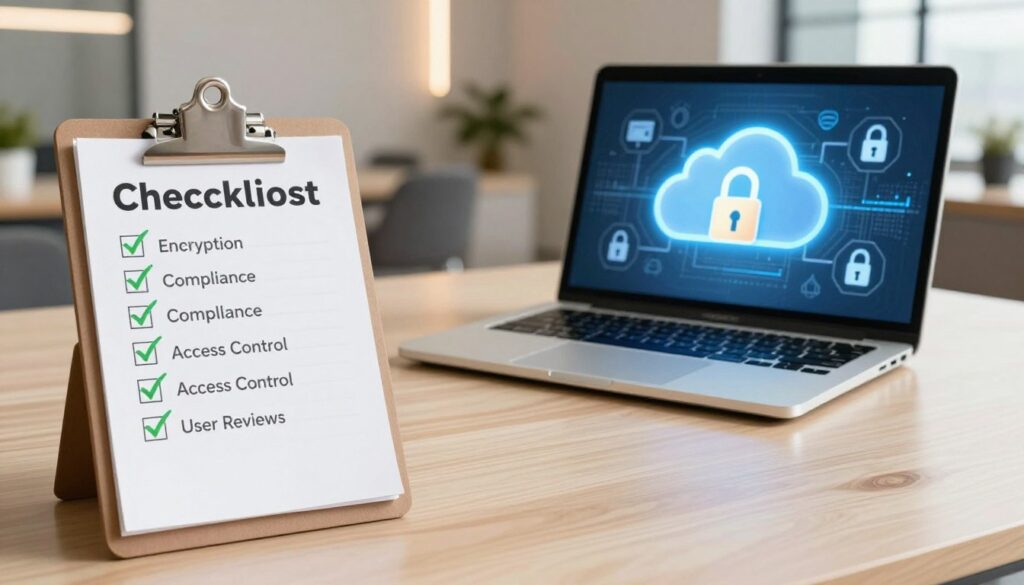
To make your evaluation easier, here’s a comparison of leading providers based on key selection criteria. This table uses real data from industry reviews to help you match providers to your primary needs.
| Provider | Best For | Key Security Strength | Consideration |
|---|---|---|---|
| IDrive | Excellent value | Strong, complete security at a competitive price | Balances robust features with affordability |
| Proton Drive | Privacy/security focus | End-to-end encryption by default, based in Switzerland | Privacy-first approach may have trade-offs in third-party integrations |
| OneDrive | Microsoft ecosystem users | Deep integration with Office 365 and Windows security suite | Ideal if your workflow is already centered on Microsoft products |
| Google Drive | Google Workspace users | Seamless real-time collaboration and advanced sharing controls | Excellent for teams that rely on Google’s productivity tools |
Balancing Security with Usability and Budget
The most secure option in theory might not be the best for your daily workflow. You need to find your sweet spot. A platform like Proton Drive offers phenomenal privacy but might not sync as seamlessly with all your business apps.
On the other hand, IDrive shows that you don’t have to sacrifice strong secure cloud storage for documents to stay on budget. It packages backup, sync, and file sharing with solid encryption.
Ask yourself: Will my team actually use this system? If security protocols are so cumbersome that people find workarounds, you’ve created a bigger risk. The goal is adopted security.
The Importance of Customer Support and SLAs
When something goes wrong—a login issue, a sync failure, a billing question—you need help fast. Responsive customer support is a non-negotiable part of your cloud storage security measures.
Look beyond just phone or chat availability. Investigate their expertise. Do they have dedicated security specialists? Can they help you configure advanced settings?
More formally, examine their Service Level Agreement (SLA). This contract defines their commitments to you.
- Uptime Guarantee: Most providers promise 99.9% or higher availability. What are the remedies if they miss this target?
- Response Time: How quickly will they begin working on a support ticket marked “urgent” or “security-related”?
- Data Recovery: What is their guaranteed recovery time objective if data is corrupted or lost?
Your checklist is complete when you’ve matched a provider’s capabilities to your specific needs for security, usability, and support. The right secure cloud storage for documents feels like a reliable partner, not just another software subscription.
Setting the Record Straight: Cloud Security Myths Busted
Cloud security can be confusing. It’s time to clear up common misconceptions. These myths can lead to bad decisions and a false sense of security. Let’s debunk them with facts.

“On-Premise is Always Safer Than the Cloud”
This idea comes from wanting total control. But safety isn’t just about where you are. It’s about the resources you have.
Most businesses can’t match the security of big cloud providers. They have 24/7 guards, biometric access, and armed teams. Your office server closet likely doesn’t have that.
Providers also have top-notch firewalls, intrusion detection systems, and expert teams. These are expensive and hard to keep up in-house. The cloud offers enterprise-grade security that is often more robust than what a single company can build.
“The perceived control of on-premise often masks its vulnerabilities.”
Old on-premise systems can be easy targets. Cloud providers keep updating their defenses against new threats.
“If It’s in the Cloud, It’s Automatically Secure”
This is a dangerous assumption. Cloud security is a shared responsibility. The provider secures the infrastructure—the platform itself.
You are responsible for securing everything in the platform. This includes your account, passwords, shared links, and the data you upload. A weak password or a phishing scam can compromise your files, no matter how secure the provider’s servers are.
You must use the security features offered. Enable two-factor authentication. Set granular folder permissions. Review access logs regularly. Your vigilance is the final, critical layer of defense.
“All Encryption is Created Equal”
Encryption is a powerful tool, but not all methods offer the same protection. This is key when evaluating document encryption tools.
Basic “encryption at rest” means your files are scrambled on the provider’s server. It’s a standard feature. But the provider holds the encryption keys. They can technically access your data if required by law or if their system is compromised.
True end-to-end, or zero-knowledge, encryption is different. Your files are encrypted on your device before they ever reach the cloud. Only you hold the decryption key. The provider cannot read your data. This is the gold standard for privacy.
When choosing a service, look for providers that offer this level of security. It turns your cloud storage into a private vault. Advanced document encryption tools make this seamless and user-friendly.
Clearing up these myths gives you the clarity to make confident security decisions. Understand the shared model, know what true encryption looks like, and recognize where real security expertise lies.
What’s Next? The Future of Document Security in the Cloud
Imagine a future where your cloud-stored documents are protected by systems that learn, adapt, and verify every single access attempt. The evolution of data security solutions is moving from simple reaction to intelligent prediction. This forward march promises not just stronger locks, but smarter guardians for your digital assets.
The Zero-Trust Model: “Never Trust, Always Verify”
The old security mantra was “trust but verify.” The future belongs to Zero-Trust: “never trust, always verify.” This model assumes no user or device is trustworthy by default, even if they’re inside your corporate network.
Every request to access a document is treated as a threat. It must be authenticated, authorized, and encrypted. Access is granted based on identity, device health, and the sensitivity of the file itself. This granular approach minimizes the damage if a credential is stolen.
Artificial Intelligence for Proactive Threat Hunting
Today’s security often looks for known malware signatures. Tomorrow’s AI-driven security solutions will hunt for abnormal behavior. They will learn your team’s typical document access patterns. Then, they will flag activities that fall outside the norm.
For example, if an employee who never accesses financial files suddenly tries to download all budget reports at 3 a.m., AI can block that request instantly. This shift from detecting known threats to spotting suspicious patterns stops attacks before they cause harm.
Breakthroughs in Encryption Technology
Encryption is getting a major upgrade. Future breakthroughs will allow data to be used while it’s encrypted. One exciting area is homomorphic encryption.
This technology lets authorized parties perform calculations on encrypted data without decrypting it first. A cloud server could analyze encrypted sales figures to generate a trend report, without ever seeing the actual numbers. This keeps your sensitive information private, even during analysis.
https://www.youtube.com/watch?v=PF-vAvmP4_0
These advancements are converging to create a more resilient security posture. Your documents will be guarded by principles that distrust by default, systems that predict trouble, and math that keeps secrets even during use. The future of cloud security is proactive, intelligent, and deeply private.
| Trend | Core Principle | Key Benefit | Adoption Stage |
|---|---|---|---|
| Zero-Trust Architecture | Verify explicitly for every access request. | Dramatically reduces the attack surface from compromised credentials. | Growing rapidly in enterprise settings. |
| AI & Machine Learning | Continuously learn patterns to detect anomalies. | Enables proactive threat hunting and stops novel attacks. | Early integration in advanced security platforms. |
| Homomorphic Encryption | Compute on data while it remains encrypted. | Unlocks secure cloud data analysis with ultimate privacy. | Emerging, mainly in research and high-security applications. |
Conclusion
Securing your important files is a journey. You’ve learned why your documents are precious and the threats they face. You’ve seen tools like encryption and strict access controls that protect your data.
Choosing the right secure cloud storage is key. It’s an investment in your peace of mind and privacy. The best services offer strong security and easy access, so you can focus on what’s important.
Use the knowledge from this guide. Look at your current setup with a fresh eye. Ask tough questions about security and compliance when choosing a new provider. Your vigilance is the final, most important layer of protection.
Step forward with confidence. Your future with safe, accessible, and protected documents begins now. Find the right secure cloud storage and make it your digital stronghold.