Did you know that a staggering 66% of organizations experienced ransomware attacks last year? This alarming statistic highlights the urgent need for effective data protection. In today’s digital landscape, safeguarding your vital information is more crucial than ever.
Many solutions are available that make it easier than ever to protect your data without breaking the bank. You can now access services that allow you to store essential files securely on remote servers. This not only enhances security but also simplifies the recovery process after a data loss incident.
Unlike traditional methods, which often require extensive hardware and IT support, modern options offer intuitive interfaces and robust features. You can rest easy knowing that your information is encrypted and secure from unauthorized access. With the right provider, you can ensure your data remains accessible, even in the face of unexpected challenges.
Key Takeaways
- Protecting your data no longer requires a massive IT budget.
- Reliable services safeguard critical files without managing physical hardware.
- The best solutions combine encryption, automatic backups, and easy recovery.
- Comparing providers helps identify the right balance of security and pricing.
- A quality service ensures data accessibility after incidents like ransomware attacks.
- Investing time to evaluate features pays off for business continuity.
- Modern solutions are designed with intuitive software and responsive support.
Understanding Your Cloud Backup Needs as a Small Business
Understanding the unique data needs of your company is crucial for long-term success. With the ever-increasing threats to data integrity, knowing how to protect your files is more important than ever.
Why Cloud Backup Matters for Your Business Data
Your business data represents the lifeblood of your company. It includes everything from customer records to financial documents and proprietary project files. Relying solely on local backups leaves you vulnerable to disasters like fires or floods, which can wipe out both your original data and its copies.
Ransomware attacks are on the rise, targeting organizations that often lack robust data protection measures. A cloud backup solution provides an off-site safety net, storing your encrypted files on remote servers. This ensures your data remains safe from local incidents.
Common Data Risks for Small Businesses
Accidental deletions by team members happen more frequently than you might expect. This makes version history and easy file recovery essential features in any backup solution you consider. Understanding these risks can help you choose the right service.
Moreover, you should evaluate the types of devices and operating systems your team uses daily. Ensuring compatibility across various platforms like Windows, Mac, and mobile devices is vital for seamless operations.
Setting Your Budget and Priorities
Calculating the true cost of downtime is crucial. Even a single day without access to critical data can lead to significant revenue loss. Prioritizing security features like AES 256-bit encryption and two-factor authentication is also essential. Protecting sensitive information is non-negotiable for maintaining trust and compliance.
Lastly, consider your internet connection speed and bandwidth limitations. These factors influence how quickly you can perform initial backups and subsequent data restores. By assessing your storage needs and budget, you can avoid both underbuying and overpaying for cloud storage solutions.

Top Cloud Backup Providers for Small Businesses
When it comes to safeguarding your data, choosing the right provider can make all the difference. Below, we explore some of the top options available, each with unique features tailored to meet your needs.
Acronis: A Comprehensive All-in-One Solution
Acronis stands out as a top performer in the data protection space. It offers a variety of backup and security options, supporting all major operating systems, Oracle databases, and SQL servers. With continuous scanning of network devices, Acronis ensures that your backups are always up-to-date.
Its uniform data format allows for seamless restoration, even from Windows to Linux systems. The inclusion of anti-malware tools adds an extra layer of security, making it a robust choice for any organization.
IONOS: Security and Flexibility Combined
Built on Acronis technology, IONOS Cloud Backup offers similar features but with servers located in Germany. This is crucial for businesses needing to comply with strict EU data privacy regulations. IONOS protects your drives from ransomware and crypto mining, ensuring your data remains secure.
SpiderOak ONE: Strong Data Privacy and Sharing
SpiderOak ONE is unique in its commitment to the zero-knowledge security principle. This means you hold the decryption key, giving you complete control over your sensitive data. While it excels in privacy, it does not support image or active server backups, which is something to consider.
CrashPlan: Affordable Unlimited Storage
CrashPlan offers truly unlimited storage space at an attractive price point. Its intuitive interface is perfect for users without a dedicated IT department. With AES 256 encryption and two-factor authentication, you can trust that your data is well protected.
HYCU: Scalable Protection and Recovery
HYCU is trusted by over 3,600 customers worldwide, including major companies like Toshiba and Honeywell. It provides comprehensive backup tools, reliable recovery options, and strong ransomware protection. With features like deduplication and differential backups, HYCU helps you adhere to data governance frameworks.
Backblaze: Simple Unlimited Cloud Backup
Backblaze offers a straightforward solution with continuous backup features. It automatically saves every file change to the cloud, and if your data is too large for a practical download, they can even send you a physical hard drive.
IDrive: On-Premises and Incremental Backups
IDrive is an excellent choice for those needing on-premises backups. It supports incremental backups and disk imaging, allowing you to keep sensitive data on local devices while benefiting from strong encryption during transfers.
Carbonite: Automatic and Ransomware-Protected Backups
Carbonite is known for its automatic backups and one-click setup. With built-in ransomware protection that uses cloud-based intelligence, it detects and stops attacks before they can encrypt your files.
Microsoft Azure Backup and Amazon S3: Enterprise-Grade Options for SMBs
Both Microsoft Azure Backup and Amazon S3 offer hybrid backup capabilities. They feature pay-as-you-go pricing and the scalability to grow alongside your operations. These enterprise-grade options provide robust solutions for businesses looking to enhance their data protection strategy.
How to Choose the Best Affordable Cloud Backup for Small Business
Identifying the most suitable backup solution is crucial for maintaining your data integrity. When selecting a service, consider several key aspects that can significantly impact your experience and the security of your files.
Configuration and Ease of Use
Configuration flexibility is essential. Your operations may involve a mix of servers, virtual machines, and various operating systems. Therefore, a solution that seamlessly integrates with all these systems is vital.
Ease of use is equally important. Features should be logically arranged, making them easy to find for every user on your team, regardless of their technical expertise. A straightforward interface can save time and reduce frustration.
Key Features: Encryption, Versioning, and Security
Prioritize key features such as AES 256-bit encryption for data security. This ensures that your files are protected from unauthorized access. Additionally, look for versioning capabilities that allow you to restore files to specific points in time.
Two-factor authentication adds an extra layer of security, especially for remote workers. This feature is essential in today’s digital landscape, where data breaches are increasingly common.
Performance: Speed and Resource Impact
Performance testing is crucial. Evaluate real-world test results for upload and download speeds. Fast upload speeds mean your daily backups won’t bog down your internet connection. Quick download speeds ensure rapid recovery after a disaster.
Pay attention to CPU usage during backup operations. Your staff should be able to work productively while files are being uploaded in the background.
Support Quality and Pricing Transparency
Assess the support quality offered by providers. Check if they provide responsive telephone hotlines, live chat options, and comprehensive answers to technical questions. In a data crisis, waiting for help is simply not acceptable.
Lastly, demand pricing transparency. Look for providers that clearly display their monthly costs based on storage needs, without hidden fees or confusing tier structures. This clarity helps you budget effectively.
In conclusion, the best affordable cloud backup solution balances configuration flexibility, ease of use, strong security features, reliable performance, and transparent pricing. This combination will ensure your data remains safe and accessible, even in challenging situations.

Different Types of Backup Solutions for Your Business
In the ever-evolving world of data management, selecting the right backup solution is essential. Understanding the different types of backup options can help you create a robust data protection strategy. Here, we explore various backup solutions that can cater to your unique needs.
Cloud Backup: Benefits and Considerations
Cloud backup allows you to safely store all your important data on remote servers. This provides off-site protection against local disasters, such as fires or floods. With cloud storage, you can easily access your files from anywhere, enhancing flexibility.
However, there are trade-offs. A reliable internet connection is necessary for seamless access. Additionally, ongoing subscription costs can add up. Still, the convenience and scalability often outweigh these concerns for growing companies.
On-Premises Backup: Local Control and Speed
On-premises backup solutions enable you to maintain complete control over your data. By using external hard drives, NAS devices, or tape systems, you can achieve lightning-fast recovery times without depending on internet bandwidth.
This local control appeals to businesses with strict data governance requirements. You can troubleshoot and maintain equipment on your own terms, which can enhance your data compliance.
Hybrid Backup: The Best of Both Worlds
Hybrid backup combines the speed of local storage with the geographic redundancy of cloud services. This approach allows you to back up data on both physical devices and in virtualized environments.
For example, you can store critical data on a NAS device for immediate access while simultaneously backing it up to the cloud. This provides an extra layer of disaster recovery security, ensuring your data remains protected.
SaaS Backup Solutions: Simplified Management
SaaS backup solutions offer a hands-off option where a third-party provider manages all your backup responsibilities. This model can free up your IT resources for other priorities.
The best SaaS providers offer scalability, advanced data loss protection, and straightforward pricing structures. This predictability makes budgeting easier for your organization, allowing you to focus on growth.
- You explored cloud backup as a flexible option that stored your encrypted files on remote servers, giving you off-site protection that kept your data safe even if your physical office experienced a disaster.
- You examined on-premises backup as a way to maintain complete local control over your data, allowing for faster recovery times without relying on internet connection.
- You discovered hybrid backup as the ideal middle ground, combining the speed and control of local storage with the geographic redundancy of cloud services.
- You learned that SaaS solutions simplify management by having a third-party provider handle all backup responsibilities, freeing up your IT resources.
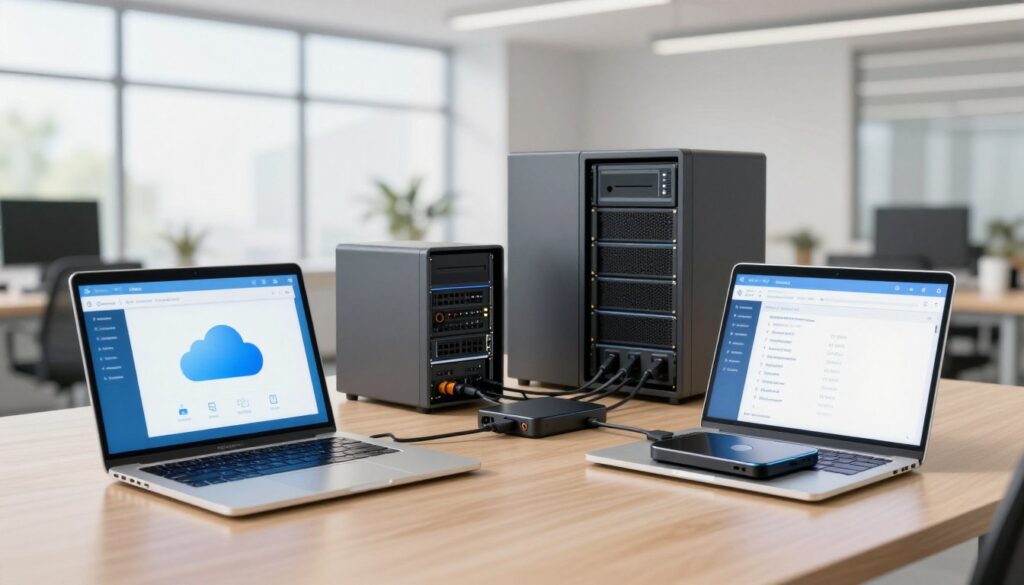
Essential Features to Look for in Cloud Backup Services
When selecting a backup service, knowing what features to prioritize is essential for your data protection. The right features can significantly enhance your data security and recovery capabilities.
Data Encryption and Zero-Knowledge Security
Your first line of defense should be data encryption. Look for services that use AES 256-bit encryption during file transfers and while your data is stored on cloud servers. This ensures that unauthorized access is minimized.
Additionally, consider solutions that offer zero-knowledge security. This means the provider never stores your decryption key on their servers. Even if their systems are compromised, your files remain inaccessible to third parties.
Automatic and Continuous Backup Options
Seek out services that provide automatic and continuous backup options. These run quietly in the background, saving every file change in real-time. This way, you never have to remember to manually trigger a backup, reducing the risk of losing important work.
Ransomware Protection and Disaster Recovery
Ransomware protection is another critical feature. Look for services that include immutable backups and cloud-based threat intelligence. These can detect and stop attacks before they encrypt your critical data.
Evaluate how quickly each service can restore your systems to a clean state. Remember, every hour of downtime can translate directly into lost revenue for your company.
Cross-Platform and Device Compatibility
Ensure that your chosen backup solution supports every operating system and device your team uses. This includes Windows, Mac, Linux servers, and mobile phones. Compatibility is key to seamless operations.
Scalability and Storage Limits
Finally, consider scalability. Choose a provider that offers flexible storage limits and the ability to add more capacity as your organization grows. This prevents you from having to migrate to a new platform as your needs evolve.
Appreciate services that provide system snapshots and disk imaging. These features allow you to restore your entire hard drive to a specific moment in time, making recovery after a disaster much easier.

Maximizing Your Backup Investment: Tips for Small Businesses
To truly benefit from your data protection solutions, it’s important to implement effective strategies. This ensures that your backup efforts are not only efficient but also cost-effective. Here are some key areas to focus on.
Optimizing Backup Schedules and Data Retention
Start by optimizing your backup schedules. Configuring incremental backups during business hours can help minimize disruptions. Reserve full backups for overnight or weekend windows when network usage is lower.
Establish thoughtful data retention policies. Keep enough file versions to recover from mistakes without wasting storage space on outdated copies. This balance helps maintain efficiency and reduces costs.
Ensuring Compliance with Data Governance
Compliance with data governance frameworks, like GDPR, is crucial. Choose providers that offer geographic control over server locations. Clear documentation of how your data is handled and protected is also essential.
Using Backup Best Practices to Minimize Downtime
Implement the 3-2-1 backup rule as a foundational best practice. Keep at least three copies of your critical data across two different storage media types, with one copy stored offsite in the cloud.
Train your team on basic backup awareness. Teach them how to verify that their files are being backed up properly and what to do if they accidentally delete something important. Regularly testing your recovery process is also vital. Perform trial restores to confirm that your backup solution delivers on its promises.
Lastly, monitor your backup software’s resource usage. Ensure it does not consume so much CPU or memory that it slows down your team’s daily productivity. Review your backup strategy quarterly to adjust storage allocations and retention settings as your data needs evolve.
| Best Practices | Description |
|---|---|
| Backup Schedules | Configure incremental backups during business hours and full backups overnight. |
| Data Retention Policies | Keep enough file versions to recover without wasting storage space. |
| Compliance | Select providers that ensure data governance and clear documentation. |
| 3-2-1 Rule | Maintain three copies of data across two media types, with one offsite. |
| Team Training | Educate staff on backup verification and recovery processes. |
| Resource Monitoring | Ensure backup software does not hinder daily productivity. |
Conclusion
In today’s digital age, ensuring your data is secure is more vital than ever. Investing in a reliable backup solution is one of the smartest decisions you can make to protect your organization against data loss and cyber threats. The right service can offer you peace of mind, knowing your files are safely stored and easily recoverable.
As you evaluate your options, consider your budget, existing IT infrastructure, and the security level required by your industry. Many services now provide enterprise-grade encryption and automatic backups, making robust protection accessible to all.
With providers like Acronis and Backblaze, you can find tailored solutions that fit your unique needs. Take action today to safeguard your data and ensure your organization is prepared for any unexpected challenges.